
⚡ M1 vs M2 vs M3 MacBook Repairs: What You Need to Know

By Shrey Sharma, Founder & Lead Technician · Updated April 2026
Apple Silicon changed everything — including how MacBooks are repaired. If you own an M1, M2, or M3 MacBook and need a repair, here's what's different, what's more complex, and what it means for your repair costs.
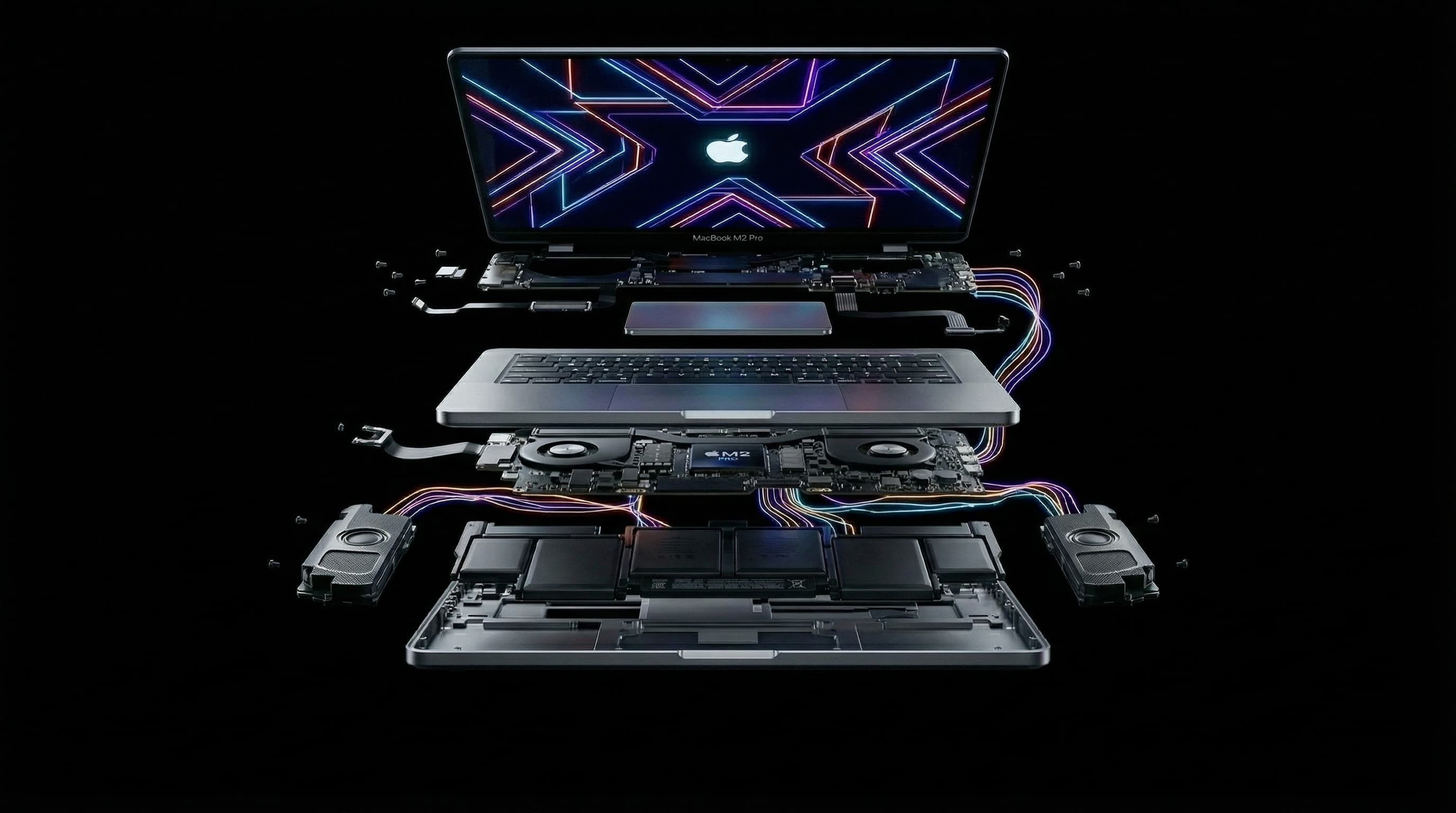
Apple Silicon MacBooks (M1, M2, M3, M4) are fundamentally different from Intel models — not just in performance, but in how they're built and repaired. If you own one of these MacBooks and need a repair, understanding the differences helps you make better decisions and set realistic expectations. Here's what you need to know. Questions? Call +91 77000 44192 or WhatsApp for a free assessment.
🔬 What Changed with Apple Silicon?
Apple Silicon chips (M1 through M4) integrate the CPU, GPU, Neural Engine, RAM, and storage controller into a single chip package — called a System on a Chip (SoC). This is fundamentally different from Intel MacBooks where CPU, RAM, and SSD were separate components.
- RAM is built into the M-series chip — it cannot be upgraded after purchase
- SSD is attached to the same board as the chip — not removable on most models
- The M chip itself is extremely compact and densely soldered
- Fewer discrete components means fewer traditional failure points
- But when something does fail, it's harder to isolate and more expensive to repair
- Board layout is different for every generation — M1, M2, and M3 boards are not interchangeable
🔧 M1 MacBook Repairs (2020–2022)
- Most common issues: battery degradation (M1 batteries are now 3–5 years old), charging port wear, screen damage from daily use
- Battery replacement: well-established repair procedure, ₹7,000–₹10,000
- Screen replacement: requires full display assembly, ₹18,000–₹35,000
- Logic board repair: chip-level repair is possible but requires specialist equipment for M1
- SSD data recovery: possible via chip-level techniques even from dead boards
- Good repair ecosystem: parts availability is better now than at launch
🔧 M2 MacBook Repairs (2022–2024)
- Most common issues: accidental screen damage, battery capacity reduction, keyboard issues
- Board design is more compact than M1 — tighter tolerances during repair
- M2 Pro/Max models have more complex board layouts with additional chips
- Battery replacement: ₹8,000–₹12,000
- Screen replacement: ₹20,000–₹40,000 depending on model
- Parts availability is growing but still more limited than Intel-era parts
🔧 M3 MacBook Repairs (2023–2025)
- Newest generation — repair ecosystem still maturing
- M3 Pro and Max chips are significantly more complex than base M3
- Parts are more expensive due to lower supply and higher demand
- Battery replacement: ₹9,000–₹14,000
- Screen repairs: ₹22,000–₹45,000
- Data recovery from failed M3 boards is possible with specialised chip-level tools
📊 Repairability: Intel vs M-Series Comparison
- RAM upgrade: Intel (some models) — Yes | M-series — Not possible
- SSD upgrade: Intel (some models) — Yes | M-series — Not possible (data recovery only)
- Battery replacement: Both — Yes (professional service required)
- Screen replacement: Both — Yes (professional service required)
- Logic board chip repair: Both — Yes, with specialised tools (M-series requires higher expertise)
- Component parts availability: Intel — Excellent | M-series — Improving (M1 good, M3 limited)
⚠️ Common Issues Across All M-Series MacBooks
- Battery degradation — same chemistry, same wear curve as Intel batteries
- Screen damage — M-series displays are not more durable than Intel
- Charging port wear — USB-C/MagSafe connector issues
- Water damage — liquid damage affects M-series boards just as severely
- Thermal issues — rare but occur under sustained heavy load
- Keyboard failures — particularly on MacBook Pro 14" and 16" models
M-series chip-level repair is possible — we have successfully repaired M1 and M2 logic boards with failed power management circuits, damaged charging ICs, and other component-level faults. M3 repair capability is expanding as tooling improves.
❓ Frequently Asked Questions
No — RAM is integrated into the Apple Silicon chip and cannot be upgraded. Choose the RAM configuration you need at purchase time.
In many cases, yes — even if the board fails, data recovery from M1 SSDs is possible using chip-level extraction techniques. Success rate depends on the nature of the failure.
Generally yes — parts are more expensive and the repair requires more specialist skill. However, the savings vs Apple's own service pricing are proportionally the same or greater.
M-Series MacBook Repair at Mac Repair Center Mumbai
We repair M1, M2, and M3 MacBooks — battery, screen, logic board chip-level repair, and data recovery. Free diagnosis, 90-day warranty, same-day service for most repairs. Call +91 77000 44192 or WhatsApp. Free pickup across Mumbai, Navi Mumbai & Thane.
Free pickup available across all Mumbai areas · Mon–Sat 10am–8pm
10+ years of chip-level Apple repair experience in Mumbai. Specialises in MacBook logic board micro-soldering, data recovery, and complex Apple hardware faults. Every repair backed by a 90-day warranty.
Related Services & Repairs
Related service:
MacBook Repair Services — View Full Service Details →More from the Blog
Same-Day MacBook Repair in Mumbai: What's Realistically Possible (and What Isn't)
"Can you fix it today?" is the question we hear most. The honest answer: sometimes yes, sometimes no — and knowing which category your repair falls into before you rush across the city saves you a wasted trip.
MacBook Hinge Loose or Screen Wobbling? Why It Happens and How to Fix It
A wobbly screen or a hinge that won't hold its angle isn't just annoying — left alone, it stresses the display cable every time you open and close the lid, and can eventually cause a much costlier screen failure. Here's what's really going on.
💻 MacBook Repair Cost in Mumbai (2026 Updated Price List)
If you're searching for MacBook repair cost in Mumbai, you're not alone. Thousands of users face issues like dead MacBooks, screen damage, battery problems, or logic board failures — and the biggest question is always: "Kitna kharcha aayega?"
Apple Device Problem?
Get It Fixed Today — Free Diagnosis.
Mumbai's chip-level Apple repair specialists. Same-day repair · 90-day warranty · 100% data privacy. Don't settle for a slow fix or a replacement you don't need.
Open Mon–Sat · 10:00 AM – 8:00 PM · Mumbai