
iMac 24-inch Display Repair in Mumbai: Lines on Screen Fixed in 1 Day (M1, M3, M4) — 2026

By Shrey Sharma, Founder & Lead Technician · Updated November 2026
Vertical or horizontal lines on your 24-inch M1, M3 or M4 iMac? What causes them, five tests you can run at home, what the repair costs, and how our free pickup, 1-day repair and doorstep delivery works across Mumbai.
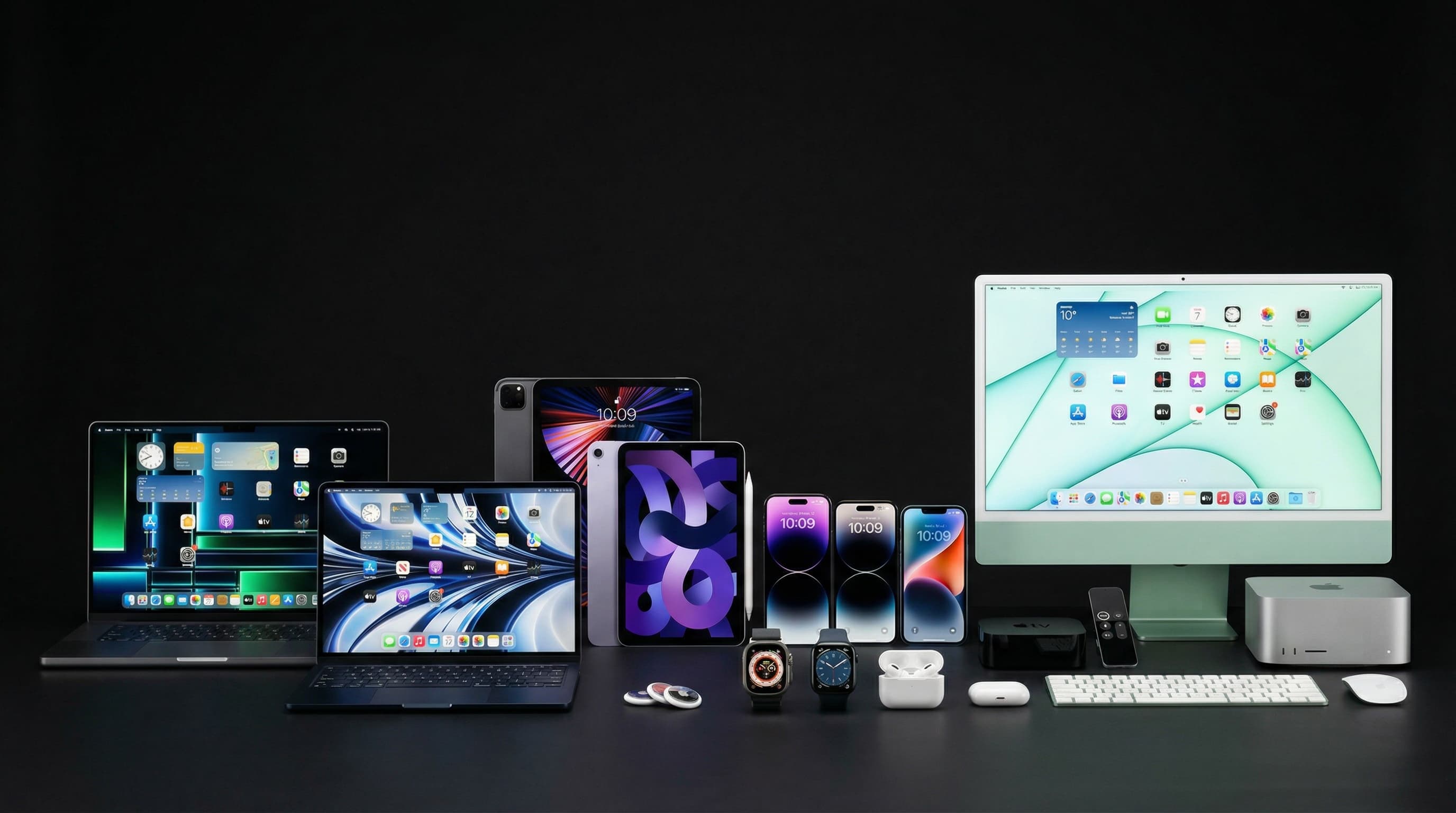
Your 24-inch iMac was fine yesterday. Today a thin vertical line runs from top to bottom, or a band of coloured stripes sits across one side of the screen. Restarting doesn't help, and the line is there even on the Apple logo. This is one of the most common faults we see on Apple Silicon iMacs at our Kandivali West workshop, and it is almost always repairable. This guide explains what actually causes lines on a 24-inch iMac display, five safe tests you can run before calling anyone, what the repair involves and costs in Mumbai, and exactly how our service works: you book a pickup, our pickup partner collects the iMac from your home or office, we repair it in 1 working day after your approval, and deliver it back to your door.
Lines on a 24-inch M1, M3 or M4 iMac are usually caused by a failing display panel (its driver circuits along the panel edge) or a damaged display flex cable. A logic board fault is less common. If the lines show on the Apple logo but not in a screenshot, it is a hardware display fault, and the fix is a display repair or replacement, not a new iMac.
What Causes Lines on a 24-inch iMac Screen?
Lines on a 24-inch iMac screen come from one of three places: the display panel itself, the flex cables that carry the picture from the logic board to the panel, or the display circuit on the logic board. In our experience the panel is the most frequent cause, followed by cables and connectors. Software is rarely the culprit.
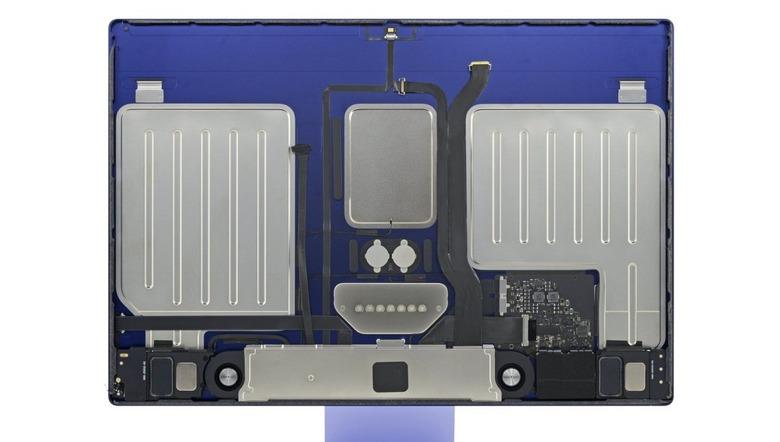
- Display panel driver failure: the 4.5K Retina panel has driver chips bonded along its edge. When one fails, you see a sharp vertical line or a band of lines that never moves. This is the most common cause we see.
- Display flex cable or connector damage: a cable that is creased, loose or corroded causes flickering lines that change when the iMac is moved, warms up or is tilted.
- Pressure or impact damage: a knock to the front glass during a house shift or office move can crack the panel internally, even when the glass looks fine.
- Logic board display circuit: a fault in the display power or signal circuit can cause lines, a distorted image or a black screen. This is less common on Apple Silicon iMacs.
- Software or graphics glitch: rare, and it shows up in screenshots too. A macOS update usually clears it.
| What you see | Most likely cause | Usual fix |
|---|---|---|
| One fixed vertical line, top to bottom | Panel driver failure | Display assembly replacement |
| Band of coloured vertical lines on one side | Panel driver failure | Display assembly replacement |
| Lines that flicker or change when the iMac is moved | Display flex cable or connector | Cable reseat, cleaning or replacement |
| Lines plus a crack, spot or ink-like patch | Impact damage to the panel | Display assembly replacement |
| Lines also visible in a screenshot | Software or graphics | macOS update or reinstall, then board check |
| Distorted image or lines with a black screen | Logic board display circuit | Chip-level board repair |
How Can You Tell If It's the Display or the Logic Board?
Run five simple tests: take a screenshot, connect an external monitor, watch the Apple logo at startup, boot into Safe Mode, and run Apple Diagnostics. If the lines are missing from the screenshot and the external monitor, the problem is in the iMac's display or its cable. If they appear everywhere, the logic board or software is involved.
- 1Screenshot test: press Command + Shift + 3 and open the screenshot on your phone or another computer. No lines in the screenshot means macOS is drawing a clean image, so the fault is in the display hardware.
- 2External monitor test: connect a monitor or TV through a USB-C or Thunderbolt port. A clean picture there points to the iMac's own panel or display cable.
- 3Apple logo test: restart and watch the screen during startup. Lines on the Apple logo, before macOS loads, confirm a hardware fault.
- 4Safe Mode test: shut down, press and hold the power button until startup options appear, select your disk, hold Shift and choose Continue in Safe Mode. Lines that vanish in Safe Mode suggest a software or driver issue.
- 5Apple Diagnostics: shut down, hold the power button until startup options appear, then press Command + D. Note any reference code it shows and share it with us when you book.
Don't press on the screen to make the lines go away, and don't try to open a 24-inch iMac yourself. The display is held on with adhesive and the panel is thin enough to crack while it is being lifted off. A cracked panel turns a cable repair into a full display replacement.
Why Is 24-inch iMac Display Repair Harder Than Older iMacs?
The 24-inch M-series iMac is only 11.5 mm thick, and its front glass is laminated to the LCD panel. That means the glass cannot be replaced on its own, the display must be cut free from foam adhesive to open the iMac, and the display has to match your iMac's colour. It needs specialist tools and a dust-free bench.
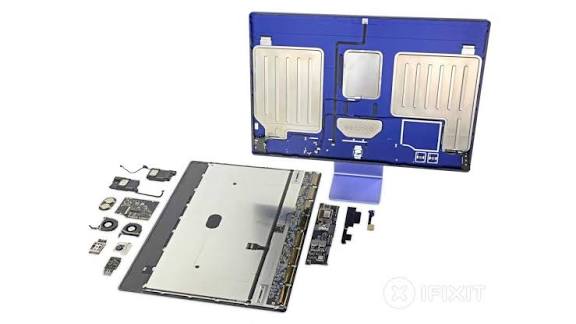
- Laminated display: the cover glass and LCD are one unit, so a glass-only repair, common on older 21.5-inch and 27-inch Intel iMacs, is not possible.
- Adhesive-sealed front: the display is removed by cutting the adhesive with thin tools and refitted with fresh, precut adhesive strips.
- Fragile flex cables: the display and camera cables are short and run close to the edge, so they tear easily if the display is lifted the wrong way.
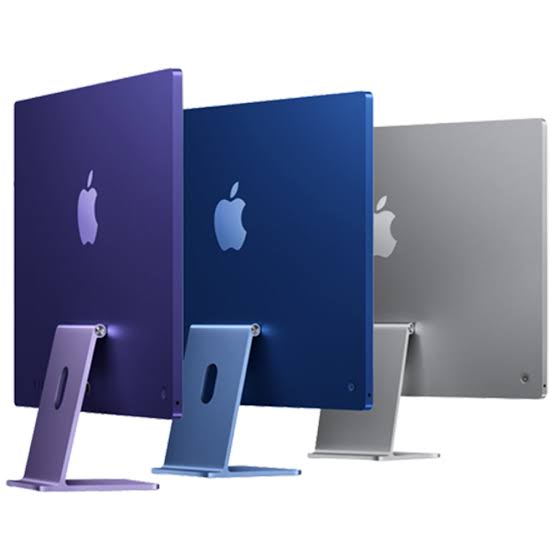
- Colour-matched panels: the white bezel and coloured lower section are part of the display assembly, so a replacement must match your iMac's colour.
- Logic board in the chin: the board sits behind the coloured strip below the display, so board-level display faults need the iMac fully opened.
Which 24-inch iMac Models Do We Repair?
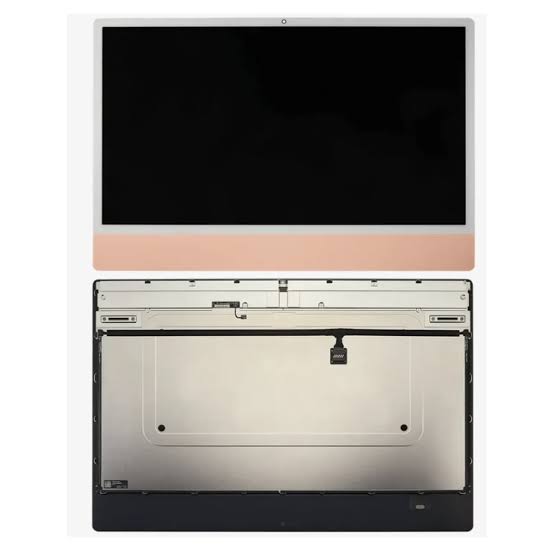
We repair the display on every 24-inch Apple Silicon iMac: the M1 iMac from 2021, the M3 iMac from 2023 and the M4 iMac from 2024, in all seven colours. All three use a 23.5-inch, 4.5K Retina panel, but the parts are model-specific, so we confirm your exact model before pickup.
| Model | Year | Chip | Model number | Display |
|---|---|---|---|---|
| iMac 24-inch (M1) | 2021 | Apple M1 | A2438, A2439 | 4.5K Retina, 4480 × 2520 |
| iMac 24-inch (M3) | 2023 | Apple M3 | A2873, A2874 | 4.5K Retina, 4480 × 2520 |
| iMac 24-inch (M4) | 2024 | Apple M4 | Check About This Mac | 4.5K Retina, standard or nano-texture glass |
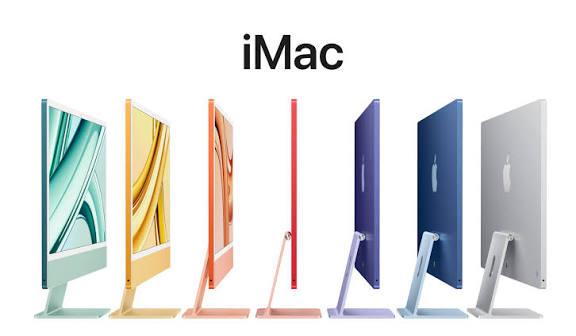
Click the Apple menu, then About This Mac, to see the chip and year. If the screen is unreadable, the model number is printed on the underside of the stand base. Send us a photo on WhatsApp and we'll confirm it for you.
How Much Does iMac 24-inch Display Repair Cost in Mumbai?
Display assembly replacement on a 24-inch M1 iMac costs ₹20,000–₹32,000 at our Mumbai workshop. If the lines come from a cable or connector, the repair costs much less than a new panel. The exact price depends on your model, colour and the fault we find, and you get it in writing after a free diagnosis.
| Repair | What it involves | Typical price |
|---|---|---|
| Display assembly replacement (M1, 2021) | New colour-matched 4.5K panel, fresh adhesive, calibration and burn-in test | ₹20,000–₹32,000 |
| Display assembly replacement (M3, M4) | Same work, model-specific panel | Quoted after free diagnosis |
| Display flex cable or connector repair | Open, clean or replace the cable, reseal with fresh adhesive | Quoted after free diagnosis, well below panel cost |
| Logic board display circuit repair | Chip-level repair of the display power or signal circuit | Quoted after free diagnosis |
| Diagnosis | Full display and board testing | Free |
No honest technician can quote an exact price before inspecting the iMac. The same line on screen can be a cable worth a fraction of the cost or a panel that needs replacing. You approve the final quote before any work starts.
How Does the Pickup and 1-Day Repair Service Work?
You book a pickup on WhatsApp, by phone or through our website. Our pickup partner collects your iMac from your home or office in protective packaging. We diagnose it, send you a quote, repair it in 1 working day after you approve, test it, and deliver it back to your door.
- 1Book a pickup: WhatsApp or call +91 77000 44192 with your model, colour and a photo of the lines. We confirm part availability for your colour and fix a pickup slot.
- 2Pickup from your door: our pickup partner visits your home or office, packs the iMac in protective packaging and brings it to our workshop. You don't carry anything.
- 3Free diagnosis: at our Kandivali West workshop we run the display, cable and logic board tests and find the exact cause of the lines.
- 4Quote and approval: you get the diagnosis, the repair needed and the price on WhatsApp. Nothing is repaired until you say yes.
- 51-day repair: once approved, we complete the display repair in 1 working day, refit the display with fresh adhesive and calibrate it.
- 6Quality check: we test the new display for lines, dead pixels, brightness and colour uniformity, and check the camera, microphones, speakers and ports.
- 7Delivery back: our partner delivers the iMac back to your door, and you check the display before signing off. Your repair is covered by our 90-day warranty.
How Long Does iMac 24-inch Display Repair Take?
The repair itself takes 1 working day after you approve the quote. Including pickup, diagnosis and delivery, most Mumbai customers get their iMac back within 2 to 3 days. If a part for your iMac's colour has to be ordered, we tell you when you book, before we collect the iMac.
| Stage | Typical time |
|---|---|
| Pickup after booking | Usually same day or next day |
| Diagnosis and quote | Same day the iMac reaches our workshop |
| Display repair after approval | 1 working day |
| Testing and delivery | Next day after repair |
Which Areas in Mumbai Do You Pick Up From?
We pick up and deliver iMacs across Mumbai, Thane and Navi Mumbai. Our workshop is in Kandivali West, so pickups from Borivali, Kandivali, Malad, Goregaon and Andheri are often possible the same day.
- Western suburbs: Borivali, Kandivali, Malad, Goregaon, Andheri, Vile Parle, Juhu, Bandra
- Central and eastern suburbs: Powai, Ghatkopar, Dadar
- Beyond Mumbai: Thane and Navi Mumbai
Will I Lose My Data During iMac Display Repair?
No. A display repair does not touch the iMac's storage, which is soldered to the logic board. Your files, apps and settings stay exactly as they are. We still recommend a Time Machine backup before pickup if the iMac is usable, and we never need your password to repair the display.
What Should You Check Before Choosing an iMac Repair Centre?
Ask four questions before you hand over a 24-inch iMac: do they have the tools to open an adhesive-sealed iMac safely, do they diagnose for free, will they quote in writing before starting, and what warranty do they give on the display. A good repair centre answers all four without hesitation.
- Opening tools and adhesive: does the shop use proper display-removal tools and new precut adhesive, or tape and glue?
- Free diagnosis: will they test the cable and board before replacing the panel, so you don't pay for a display you didn't need?
- Written quote first: do you approve the price before any work starts?
- Colour-matched parts: do they confirm the panel matches your iMac's colour before collecting it?
- Warranty: is the display covered after repair? Ours is covered by our 90-day warranty on parts and labour.
iMac screen par lines aa rahi hain — kya karein?
Pehle screenshot lo aur kisi doosre device par dekho. Agar screenshot mein lines nahi hain, to problem display ya uski cable mein hai, software mein nahi. Screen ko dabaiye mat aur iMac khud mat kholiye. WhatsApp par photo bhejiye, hum free pickup karenge aur approval ke baad 1 din mein repair karke ghar wapas pahuncha denge.
Can Lines on an iMac Screen Go Away on Their Own?
Very rarely. Lines caused by a failed panel driver are permanent and usually spread over time. Lines caused by a loose cable may come and go with heat or movement, but they return and tend to get worse. If the lines show on the Apple logo, it is a hardware fault and needs repair.
Is iMac Display Repair Covered by Apple Warranty or AppleCare+?
If your iMac is under Apple's one-year warranty or AppleCare+, and the fault is not caused by accidental damage, Apple should repair it. Check your coverage on Apple's Check Coverage page first. For iMacs out of warranty, or with impact damage, independent repair is usually the faster and more affordable route.
Can You Replace Only the Glass on a 24-inch iMac?
No. On the 24-inch M1, M3 and M4 iMac, the front glass is laminated to the LCD panel, so the two are replaced together as one display assembly. Glass-only replacement was possible on many older Intel iMacs, but not on the Apple Silicon 24-inch models.
Is It Worth Repairing a 24-inch iMac With Lines on the Screen?
Yes, in almost every case. The M1, M3 and M4 chips are fast enough for years of everyday and creative work, and a display repair costs a fraction of a new iMac. Repairing also keeps your data and setup intact. We will tell you honestly after diagnosis if a repair doesn't make sense.
What Warranty Do You Give on iMac Display Repair?
Every iMac display repair comes with our 90-day warranty on parts and labour. If the same fault returns within that period, we fix it again at no cost. The warranty does not cover new impact or liquid damage after the repair.
Key Takeaways
- Lines on a 24-inch iMac are usually a display panel or flex cable fault, not a dead iMac.
- A screenshot and an external monitor tell you in two minutes whether the fault is in the display hardware.
- The 24-inch iMac's glass is laminated to the panel, so it needs a colour-matched display assembly and specialist opening tools.
- Display replacement on the M1 model costs ₹20,000–₹32,000, and cable faults cost much less. The quote is free and comes before any work.
- Book a pickup, and we repair it in 1 working day after approval and deliver it back with a 90-day warranty.
Lines on Your iMac Screen? Book a Free Pickup
Send a photo of your iMac screen on WhatsApp or call +91 77000 44192. Our pickup partner collects your 24-inch iMac anywhere in Mumbai, we repair it in 1 working day after your approval, and deliver it back to your door with a 90-day warranty.
Free pickup available across all Mumbai areas · Mon–Sat 10am–8pm
10+ years of chip-level Apple repair experience in Mumbai. Specialises in MacBook logic board micro-soldering, data recovery, and complex Apple hardware faults. Every repair backed by a 90-day warranty.
Related Services & Repairs
Related service:
iMac Repair Mumbai — View Full Service Details →More from the Blog
iMac Running Slow? 7 Ways to Speed It Up Without Buying a New One
A slow iMac is usually a hardware upgrade problem — not a 'time for a new iMac' problem. These 7 steps can make a 2015–2019 Intel iMac feel fast again.
iPhone Screen Replacement Cost in Mumbai (2026) — All Models Compared
Confused about iPhone screen replacement costs in Mumbai? Here's a complete, model-by-model price guide from Mac Repair Center — with tips on what to avoid.
MacBook Pro 16-inch M1 Pro/Max (A2485) Repair Mumbai: Logic Board, Display & Cost Guide (2026)
The 16-inch MacBook Pro with M1 Pro or M1 Max (model A2485) is the most expensive machine most Mumbai professionals own — and the one where a wrong quote costs the most. Here's what actually fails on the A2485, what chip-level logic board repair recovers, real 2026 Mumbai costs for the Liquid Retina XDR display, the 100Wh battery and the 140W MagSafe 3 port, and when repair stops making sense.
Apple Device Problem?
Get It Fixed Today — Free Diagnosis.
Mumbai's chip-level Apple repair specialists. Same-day repair · 90-day warranty · 100% data privacy. Don't settle for a slow fix or a replacement you don't need.
Open Mon–Sat · 10:00 AM – 8:00 PM · Mumbai