
MacBook Pro 14-inch Logic Board Repair Mumbai: A2442 (M1 Pro) & A2779 (M2 Pro) Water Damage, Data Recovery and Why Repair Beats Replacement (2026)

By Shrey Sharma, Founder & Lead Technician · August 2026
Your MacBook Pro 14-inch won't power on, won't charge, or took a spill — and someone has told you the logic board needs replacing. Before you accept a ₹90,000+ board swap quote, here's what actually fails on the A2442 (M1 Pro) and A2779 (M2 Pro) boards, how chip-level repair recovers both the machine and your data, and real 2026 costs for Borivali and Kandivali.
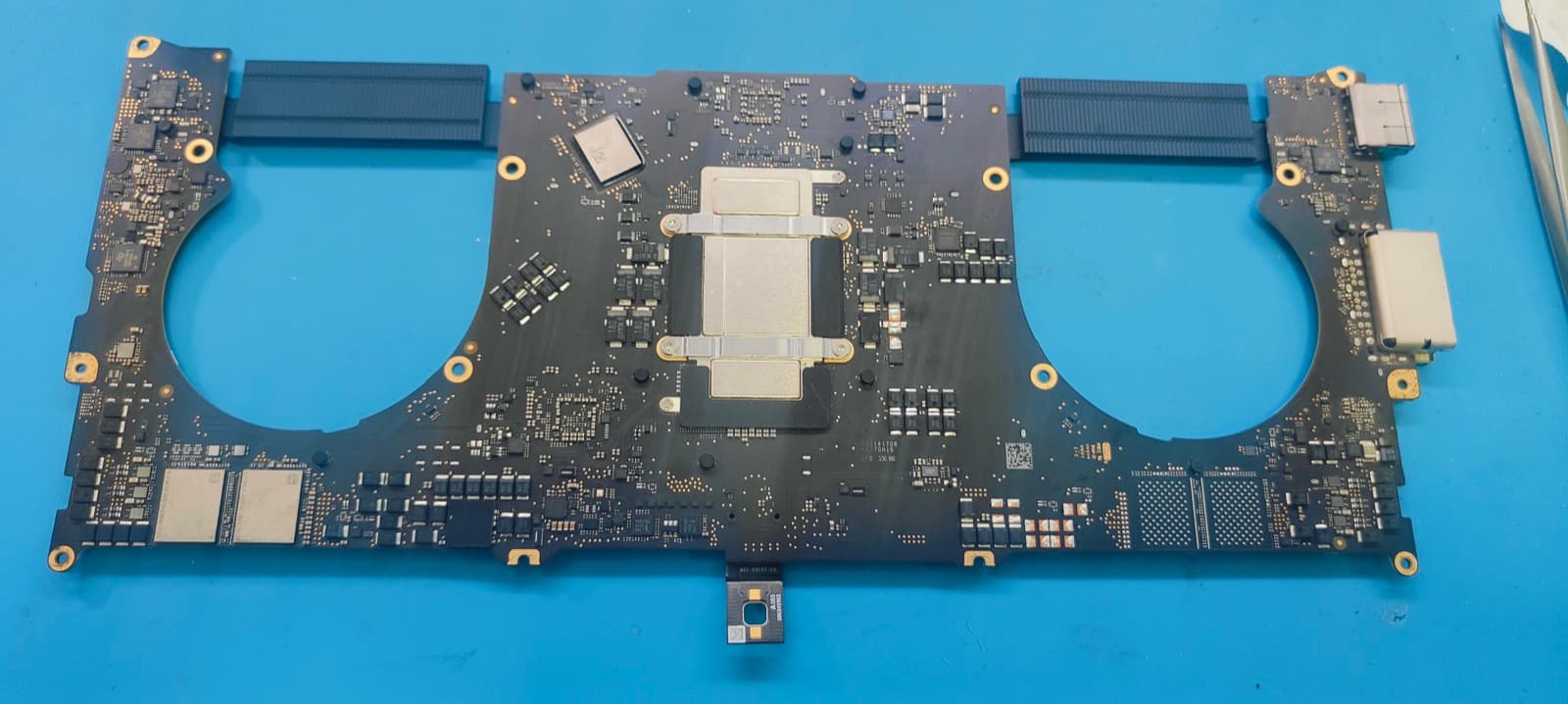
Almost every MacBook Pro 14-inch that reaches our bench in Kandivali West arrives with the same sentence attached to it: "they said the logic board has to be replaced." Sometimes it came from an Apple Authorised Service Provider, sometimes from a local shop that opened the machine, found corrosion, and stopped there. On a MacBook Pro 14-inch — whether it is the A2442 with the M1 Pro chip or the newer A2779 with the M2 Pro — a full board replacement is quoted in the range of ₹90,000 to ₹1,40,000, because Apple's channel prices the board as a single sealed part with the processor, the memory, and your entire storage soldered onto it. Chip-level logic board repair works differently: the failed component gets replaced, the rest of the board stays. This guide covers exactly what fails on these two boards, how liquid damage on an A2779 differs from an A2442, how a board repair is often the only realistic path to your data, and what it genuinely costs in Mumbai in 2026 — for customers across Borivali East, Borivali West, Kandivali East and Kandivali West.
A2442 vs A2779: Same Chassis, Different Board — Why the Model Number Matters
From the outside, the 14-inch MacBook Pro from 2021 and the one from 2023 are nearly identical — same aluminium body, same MagSafe 3 connector, same Liquid Retina XDR display, same three USB-C/Thunderbolt ports. Inside, they are two different logic boards with different chip layouts, different power management sections, and different part availability. Before quoting anything, we check the model number under "About This Mac" or on the underside of the chassis, because a repair strategy built for the wrong board wastes the one thing you cannot get back after a fault: time. You can find your model in seconds using our guide on how to find your MacBook model and serial number.
| Model | Chip | Released | What Changes for Board Repair |
|---|---|---|---|
| A2442 | M1 Pro / M1 Max | Late 2021 | First-generation Apple silicon board layout; well-documented fault patterns; widest donor-board availability in India |
| A2779 | M2 Pro / M2 Max | Early 2023 | Revised power delivery and port controller section; denser SoC package; fewer donor boards, so component sourcing takes longer |
| A2918 / A2992 | M3 Pro / M3 Max | Late 2023 | Newer still — chip-level repair is possible but component supply is the limiting factor |
One thing is identical across all three, and it is the reason logic board repair matters so much on these machines: there is no removable SSD. The NAND flash storage holding every file you own is soldered directly to the board, paired cryptographically to that specific machine's Secure Enclave. On an older Intel MacBook, a dead board meant pulling the drive and moving on. On an A2442 or A2779, a dead board means the board is the drive.
The Logic Board Faults We See Most on the 14-inch MacBook Pro
- No power at all — a shorted PMIC (power management IC) or a blown power rail. The machine shows zero response: no fan, no chime, no charger LED, nothing on screen. This is the single most common A2442 board fault we receive.
- Charges on one port but not the others — the USB-C/Thunderbolt retimer or port controller has failed, usually after a liquid ingress or a surge from a low-quality charger. Often misdiagnosed elsewhere as a battery fault.
- MagSafe 3 not charging while USB-C still works — a failed charging IC or a damaged sense line on the MagSafe section of the board, not a bad cable and not a bad battery.
- Boots, then shuts down under load — a failing SMC-adjacent power stage or a thermal sensor line reading out of range. Kernel panics every 15–40 minutes are the classic symptom.
- Backlight dead but the display is intact — you can see a very faint image under a torch. This is a backlight driver or fuse fault on the board, not a ₹22,000–₹38,000 screen replacement.
- Liquid corrosion across multiple sections — chai, water, or monsoon moisture that has reached the board and started eating copper traces and solder joints. This is the fault most likely to be written off by a shop that only replaces parts.
- No display output but the machine is alive — it responds to remote access or shows up on another Mac, but the internal panel stays black. Usually a board-side display power or data line, again not the panel.
Water Damage on the A2779 (M2 Pro 14-inch): What's Different
The A2779's board carries a revised power delivery section and a more tightly packed SoC package than the A2442, and that density cuts both ways. Liquid that gets in has less clear space to sit in before it bridges two things that should never be connected — but the same density also means a competent technician can often isolate a fault to a single component instead of a whole section. The liquid entry points are unchanged: MagSafe 3 and two Thunderbolt ports on the left edge, a third USB-C port and the headphone jack on the right, plus the keyboard itself, which drains straight down onto the board area below it. In Mumbai, we see three main sources — a spilled cup at a desk, monsoon rain soaking a bag between Borivali station and home, and condensation from an air-conditioned office into humid outdoor air, which is a slower but genuinely damaging version of the same problem.
Whatever the model, do not power on a MacBook Pro that has taken liquid — not even for a second to "check if it still works." Liquid on a board is mostly harmless while there is no current running through it. The moment you press the power button, you turn a cleanable spill into a shorted PMIC or a damaged SoC package, and the SoC package is where your storage lives.
- 1Hold the power button down until the machine is completely off. Closing the lid only sleeps it — the board stays powered.
- 2Pull the charger and every cable out of all the ports. Current through a wet board is what causes irreversible damage, not the liquid itself.
- 3Open the lid wide and stand the MacBook keyboard-side down in an inverted V on a dry towel, so gravity pulls liquid back out instead of further into the board and screen hinge.
- 4Skip the rice, skip the hairdryer, skip the sunny windowsill. Heat bakes sugar and mineral residue permanently onto the board, and rice cannot reach liquid sealed inside an aluminium chassis.
- 5Do not press keys or the trackpad to test them, and do not plug it in again later to "see if it dried."
- 6WhatsApp us at +91 77000 44192 with the model, what spilled, and roughly how much — we will tell you what to do next before you leave the house.
- 7Get it onto a bench the same day. From Borivali East, Borivali West, Kandivali East or Kandivali West, our free pickup usually reaches you within one to two hours.
How We Diagnose a 14-inch MacBook Pro Logic Board
- 1Visual inspection under a stereo microscope, before anything is powered, to map corrosion, discoloured pads, lifted components and any prior repair attempts.
- 2Ultrasonic cleaning in an isopropyl alcohol bath where liquid is involved, to lift residue from underneath components that no swab can reach.
- 3Measuring resistance to ground on every major power rail with a multimeter, to find shorts without applying full power to a board that may still be compromised.
- 4Injecting a controlled low voltage into a shorted rail and using a thermal camera to see precisely which component heats up — this is how a single failed capacitor is found among hundreds.
- 5Boardview and schematic tracing to confirm the failing component's role before any rework, so we are replacing a cause rather than a symptom.
- 6Micro-soldering and BGA rework to remove and replace only the failed part — a PMIC, a retimer, a charging IC, a handful of passives.
- 7Full functional testing after reassembly: charging on MagSafe 3 and all three USB-C ports, display and backlight, camera, keyboard and trackpad, Wi-Fi, Bluetooth, audio, thermals under load, and battery health reporting.
Logic Board Repair for Data Recovery: Getting Files Off a Dead A2442 or A2779
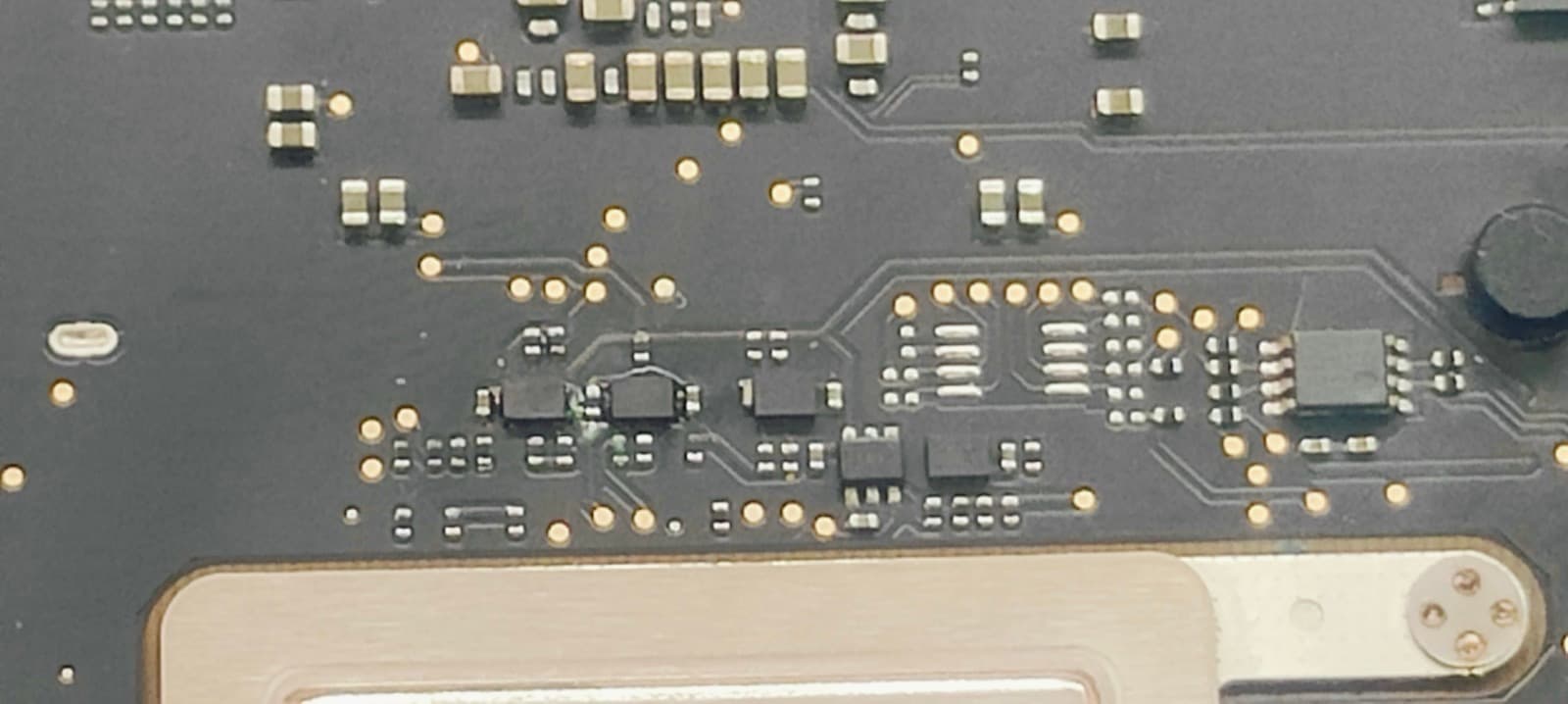
This is the part most people only think about once the machine is already dead. Because the NAND storage on these models is soldered to the board and paired to the Secure Enclave inside the SoC, you cannot simply move the chips to another machine and read them the way you could with an old SATA or NVMe drive. Practically speaking, on an A2442 or A2779, repairing the logic board is data recovery. Get the board stable enough to boot, even briefly, and every file, app, licence and setting is exactly where you left it. That is why we treat any board with unbacked-up data on it as a recovery job first and a repair job second — we stabilise it, pull the data off to an external drive, and only then complete the permanent repair.
| Board Condition | What It Means for Your Data | Typical Path |
|---|---|---|
| Fault away from the SoC — PMIC, charging IC, port controller | Data is completely intact and untouched | Repair the board, boot normally, nothing is lost |
| Liquid corrosion, machine never powered on after the spill | Data almost always fully recoverable | Ultrasonic clean, component repair, then immediate backup |
| Liquid damage, machine was powered on afterwards | Depends on whether the short reached the SoC package | Stabilise the board first, copy data off, then repair |
| SoC package itself shorted or physically damaged | Highest-risk scenario on these models | Specialised NAND-level recovery; assessed case by case, never promised blindly |
On a MacBook Pro 14-inch A2442 or A2779, there is no separate SSD to remove — the storage is soldered to the logic board and paired to the SoC. Repairing the board is what recovers the data. If your files matter more than the machine, say so at drop-off and we will prioritise getting them off before completing the repair.
Why Repair Is Almost Always the Better Option Than Replacement
"Replacement" means two very different things depending on who is offering it — replacing the logic board inside your machine, or replacing the whole MacBook. Both are dramatically more expensive than repairing the component that actually failed, and both cost you your data unless you already have a complete, current backup. Here is the honest comparison for a 14-inch MacBook Pro with a board fault.
| Option | Typical Cost | Your Data | Turnaround |
|---|---|---|---|
| Chip-level logic board repair | ₹8,000 – ₹45,000 depending on fault | Preserved in place, nothing to restore | 1–4 business days |
| Apple / AASP full board replacement | ₹90,000 – ₹1,40,000 | Gone with the old board unless separately recovered | 1–3 weeks, subject to part availability |
| Buying a replacement MacBook Pro 14-inch | ₹1,90,000+ for a current M-series model | Restored from backup, if a current backup exists | Days of reinstalling and re-authorising software |
- Cost: even a severe multi-component board repair on an A2442 or A2779 stays well under half of an authorised board swap, and under a quarter of a new machine.
- Your data stays where it is: no restoring from a backup that may be weeks old, no hunting for licence keys, no re-downloading a working environment you spent years building.
- Turnaround: most chip-level repairs finish in one to four business days. An authorised board replacement is quoted in weeks once the part has to be sourced.
- Environmental and resale sense: a repaired board keeps a perfectly good ₹2,00,000 machine in service instead of scrapping it over one failed ₹400 component.
- It is the same machine you already trust — same keyboard, same accessories already paired, same software already authorised to that specific device.
- 90-day warranty: every chip-level repair at Mac Repair Center is backed by a 90-day warranty covering the repaired component and the labour.
Apple Authorised Service Providers are set up to swap modules, not to repair them. They do not stock individual ICs, and their diagnostic flow ends at "board fault — replace board." So when an A2442 or A2779 is declared unrepairable, that is a statement about the service model, not about the board. A second opinion from a chip-level workshop costs you nothing here, and regularly saves the machine.
A2442 & A2779 Logic Board Repair Cost in Mumbai (2026)
No technician who has not opened your machine can give you a fixed price honestly — the cost follows the fault, and the fault is only visible under a microscope with a meter on the board. These are the realistic ranges we work to at Mac Repair Center for the 14-inch MacBook Pro, and you get an exact written figure after a free diagnosis, before any work begins.
| Fault | What the Repair Involves | Typical Cost (A2442 / A2779) |
|---|---|---|
| Surface corrosion only | Ultrasonic clean and inspection, no components replaced | ₹4,000 – ₹7,000 |
| Single component — charging IC, backlight driver, fuse | One IC or passive replaced by micro-soldering | ₹8,000 – ₹16,000 |
| PMIC or power rail failure (no power at all) | Power management IC replaced, rails re-verified | ₹14,000 – ₹26,000 |
| USB-C / Thunderbolt retimer or port controller | Port controller replaced, all ports re-tested | ₹12,000 – ₹24,000 |
| Multiple components across sections | Several parts reworked plus full board clean | ₹18,000 – ₹32,000 |
| Trace damage or SoC-adjacent repair | Micro-soldering to rebuild damaged traces; data recovery may run alongside | ₹28,000 – ₹45,000 |
A2779 repairs sit toward the upper end of each band more often than A2442 repairs do, purely because component sourcing for the newer board takes longer in India. For context on the alternatives: a Liquid Retina XDR display replacement on either model runs ₹22,000–₹38,000, a battery replacement ₹7,000–₹10,000, and a MagSafe 3 port repair ₹4,000–₹8,000 — which is exactly why confirming that a fault is board-side, and where on the board, matters before anyone quotes you a panel.
MacBook Pro 14-inch Logic Board Repair in Borivali East, Borivali West, Kandivali East & Kandivali West
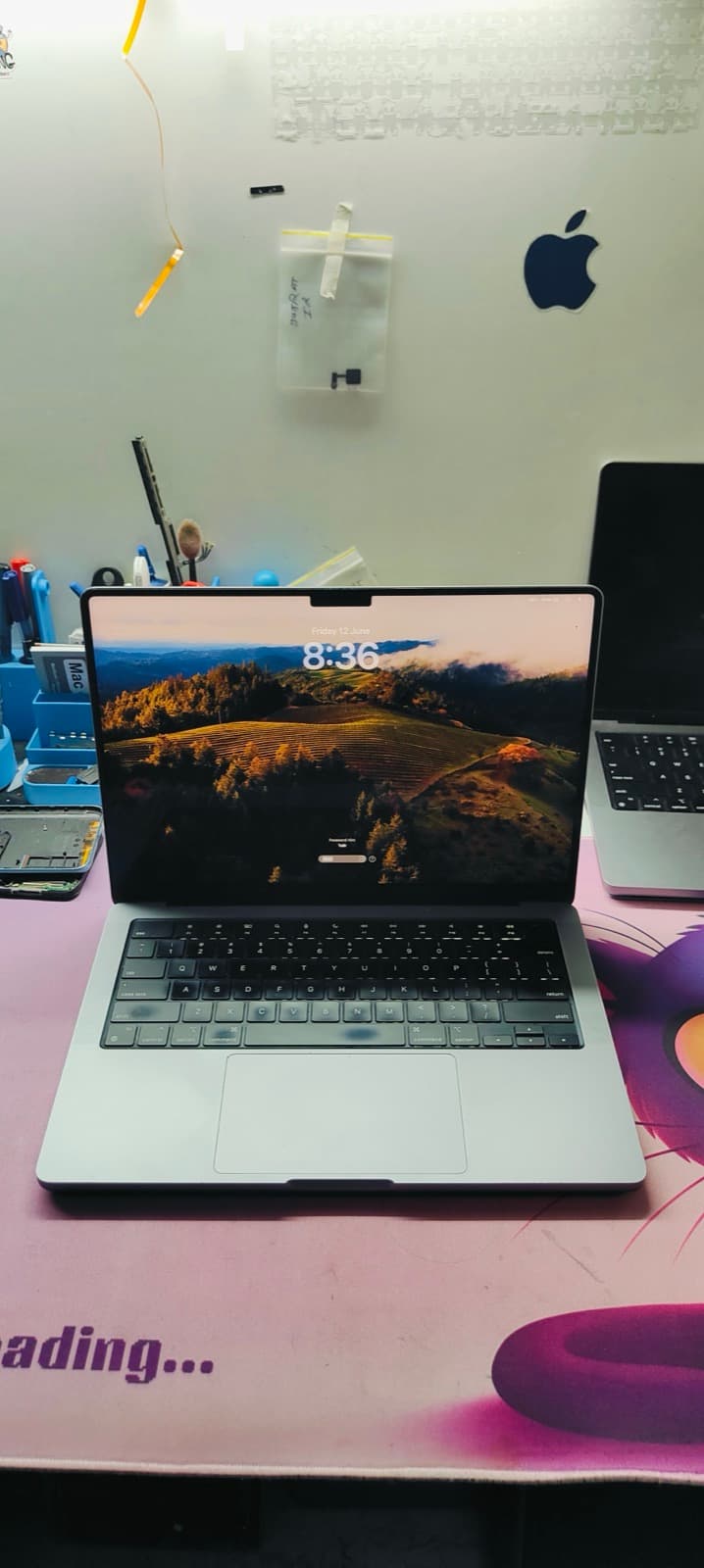
Our workshop is at Shop No. F-103, Raghuleela Mega Mall, Kandivali West — a few minutes' walk from Kandivali station on the west side, and a short ride from Kandivali East across the highway, or from Borivali West and Borivali East up the Western Express Highway. Board-level work is done in-house on our own microscopes and rework stations; nothing is couriered to another city and nothing leaves the shop, which matters when there is unbacked-up data on the machine.
- Kandivali West — walk-in at Raghuleela Mega Mall, or free pickup the same hour in most cases. Diagnosis is usually done while you are still nearby.
- Kandivali East — free pickup and drop across Thakur Village, Thakur Complex, Lokhandwala Township, Samta Nagar and Akurli Road, typically within 1–2 hours.
- Borivali West — free pickup covering Chandavarkar Road, LT Road, IC Colony, Gorai and Shimpoli, with same-day diagnosis on water damage cases.
- Borivali East — free pickup across Rajendra Nagar, Kulupwadi, Magathane, Devipada and the Western Express Highway stretch.
- Every job gets a written diagnosis and an exact figure before work starts, with no obligation to proceed and nothing charged if you decide not to.
Can a MacBook Pro 14-inch A2442 logic board actually be repaired, or does it have to be replaced?
In most cases it can be repaired. A logic board fault is almost always one failed component — a power management IC, a charging IC, a port controller, a backlight driver — on a board carrying hundreds of them. Chip-level repair replaces just that component using micro-soldering. Full board replacement is only genuinely necessary when the SoC package itself is physically destroyed, which is rare.
How much does MacBook A2442 or A2779 logic board repair cost in Mumbai?
Chip-level logic board repair for the MacBook Pro 14-inch ranges from ₹4,000 for a corrosion clean-up to ₹45,000 for trace-level damage, with most real jobs landing between ₹12,000 and ₹26,000. An Apple Authorised board replacement on the same machine is quoted at ₹90,000 to ₹1,40,000. You get the exact figure after a free diagnosis, before any work starts.
Is A2779 (M2 Pro 14-inch) water damage repair different from the A2442?
The first-response steps are identical — power it off, unplug everything, stand it keyboard-side down, and do not switch it on. The repair differs because the A2779 board has a revised power delivery section and a denser SoC package, and replacement components for it are harder to source in India, so A2779 jobs often take a day or two longer than the equivalent A2442 repair.
Can you recover data from a MacBook Pro 14-inch that will not turn on?
Yes, in most cases — and on these models it is done by repairing the logic board. The storage is soldered to the board and paired to the SoC, so there is no drive to remove and read elsewhere. Once the board is stable enough to boot, we copy your data to an external drive first and complete the permanent repair afterwards.
Apple said my MacBook logic board is unrepairable — is a second opinion worth it?
Almost always. Authorised service providers replace modules rather than repairing them, so "unrepairable" reflects their service model, not the physical state of your board. Boards written off elsewhere are routinely brought back at component level. Our diagnosis is free, so a second opinion costs nothing but the trip.
How long does 14-inch MacBook Pro logic board repair take?
Diagnosis is same-day in most cases. A corrosion clean-up is often finished the same day. Single-component repairs take one to two business days, and multi-component or trace-damage repairs take two to four business days. A2779 repairs can run slightly longer when a component has to be sourced.
Is it worth repairing a 14-inch MacBook Pro logic board instead of buying a new machine?
Yes, on cost alone. Even the most severe board repair on these models stays under ₹45,000, against ₹1,90,000-plus for a current 14-inch MacBook Pro. Repair also preserves your data, your installed software and its device-locked licences, and returns a machine that is otherwise years from the end of its useful life.
Do you offer free pickup for MacBook logic board repair in Borivali and Kandivali?
Yes. Free pickup and drop covers Kandivali West, Kandivali East, Borivali West and Borivali East, along with 20-plus other Mumbai areas. Liquid damage cases are prioritised for same-day pickup, because corrosion spreads by the hour.
Told Your MacBook Logic Board Needs Replacing? Get a Free Second Opinion.
WhatsApp +91 77000 44192 with your model number and the symptoms, and we will tell you what is likely wrong before you bring it in. Free chip-level diagnosis, a written quote before any work begins, in-house micro-soldering, and a 90-day warranty on every repair. Free pickup from Borivali East, Borivali West, Kandivali East, Kandivali West and 20+ other Mumbai areas. Visit us at Shop No. F-103, Raghuleela Mega Mall, Kandivali West, Mumbai 400067.
Free pickup available across all Mumbai areas · Mon–Sat 10am–8pm
10+ years of chip-level Apple repair experience in Mumbai. Specialises in MacBook logic board micro-soldering, data recovery, and complex Apple hardware faults. Every repair backed by a 90-day warranty.
Related Services & Repairs
Related service:
MacBook Logic Board Repair Mumbai — View Full Service Details →More from the Blog
MacBook Pro M1 14-inch (A2442) Water Damage Repair Mumbai: Logic Board Repair, Data Recovery & Why Repair Beats Replacement (2026)
Spilled water or chai on your MacBook Pro 14-inch M1 Pro (A2442)? What you do in the next few hours decides whether it's a ₹5,000 clean-up or a ₹35,000 board repair — or a dead machine. Here's the exact protocol, real logic board repair costs, and why chip-level repair almost always beats replacing the whole MacBook.
Logic Board Repair vs Replacement: Which Is Right for You?
Apple will quote you ₹40,000+ for a logic board replacement. Our chip-level repair often costs a fraction of that. Here's when each makes sense.
What to Do Immediately After Spilling Water on Your MacBook
The first 60 seconds after liquid damage determine whether your data can be saved. Here's the exact steps our technicians recommend.
Apple Device Problem?
Get It Fixed Today — Free Diagnosis.
Mumbai's chip-level Apple repair specialists. Same-day repair · 90-day warranty · 100% data privacy. Don't settle for a slow fix or a replacement you don't need.
Open Mon–Sat · 10:00 AM – 8:00 PM · Mumbai