
MacBook Pro M1 14-inch (A2442) Not Charging: Other Shops Quoted ₹12,000 for a Battery That Wasn't Faulty — We Fixed the Real Fault for ₹7,000

By Shrey Sharma, Founder & Lead Technician · June 2026
A MacBook Pro 14-inch M1 Pro (A2442) arrived dead and not charging. Other repair shops blamed the battery and quoted ₹12,000 for a replacement. The battery was fine — the real fault was in the motherboard's charging section. We repaired it for ₹7,000, and the original battery now charges and holds backup normally.
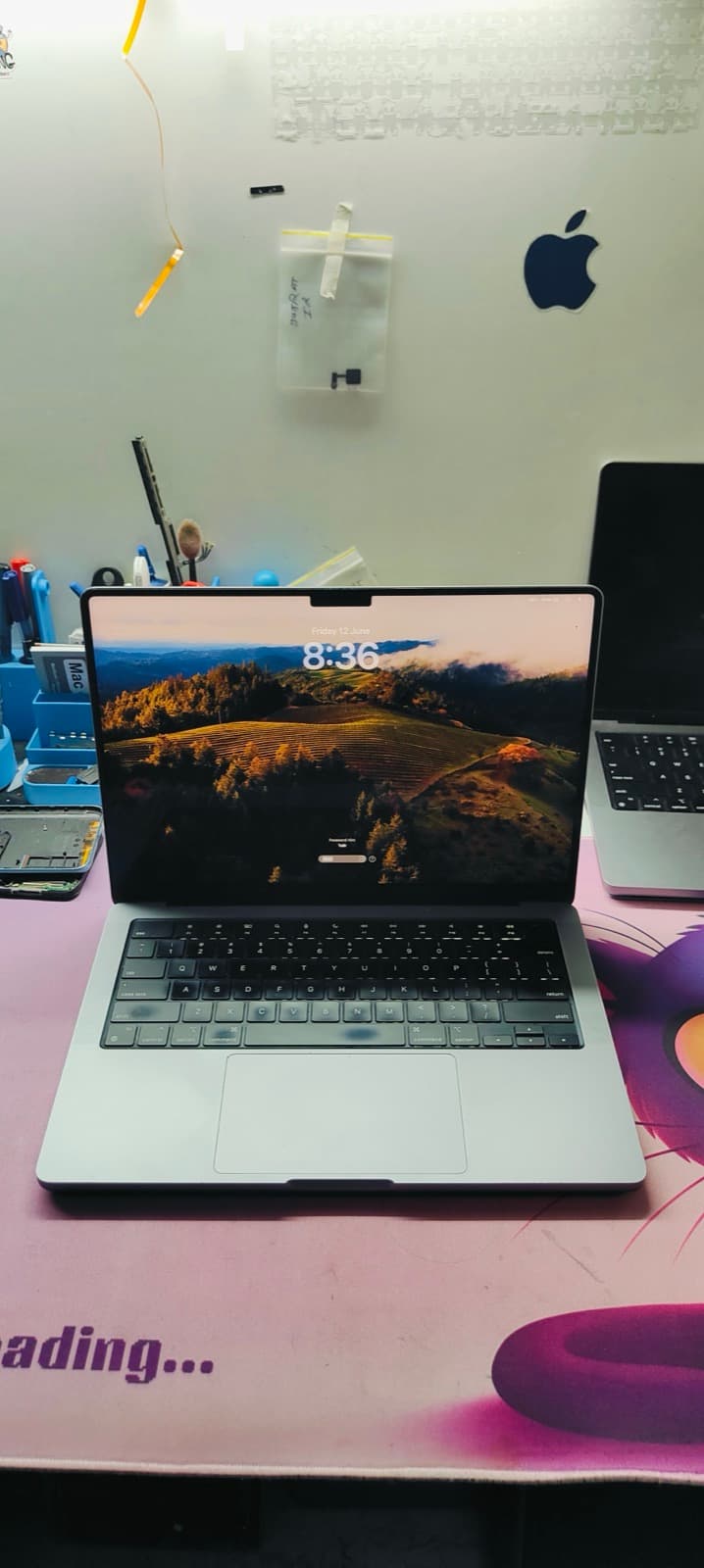
One of the most expensive mistakes in MacBook repair is a confident-sounding wrong diagnosis. A customer recently brought us a MacBook Pro 14-inch with the M1 Pro chip (model A2442) that was completely dead — no chime, no display, no charging light, no response to any cable or adapter. Before reaching our Kandivali West workshop, he had already been to other repair shops in Mumbai. The verdict, more than once, was the same: the battery had failed, and a replacement would cost ₹12,000. He paid for nothing and walked away to get a second opinion. That decision saved him ₹5,000 — because the battery was never the problem. After a careful component-level inspection, we found the real fault sitting in the charging section of the logic board itself. We repaired that section for ₹7,000. The original battery — the one other shops wanted to throw away — now charges normally and holds a proper full-day backup. Here's exactly how a healthy battery gets misdiagnosed as dead, how we told the difference, and what it means if your MacBook won't charge.
The Device: A MacBook Pro M1 14-inch (A2442) That Was Completely Dead
The MacBook Pro 14-inch (2021), model number A2442, was Apple's first 14-inch Pro laptop and runs on the M1 Pro or M1 Max chip. It charges through either of its two Thunderbolt / USB-C ports, with a charging and power-management circuit built directly into the logic board. When this unit arrived, it showed zero signs of life: plugging in a charger produced no LED indicator, pressing the power button produced no chime and no fan spin, and the screen stayed black no matter how long it was left connected to power.
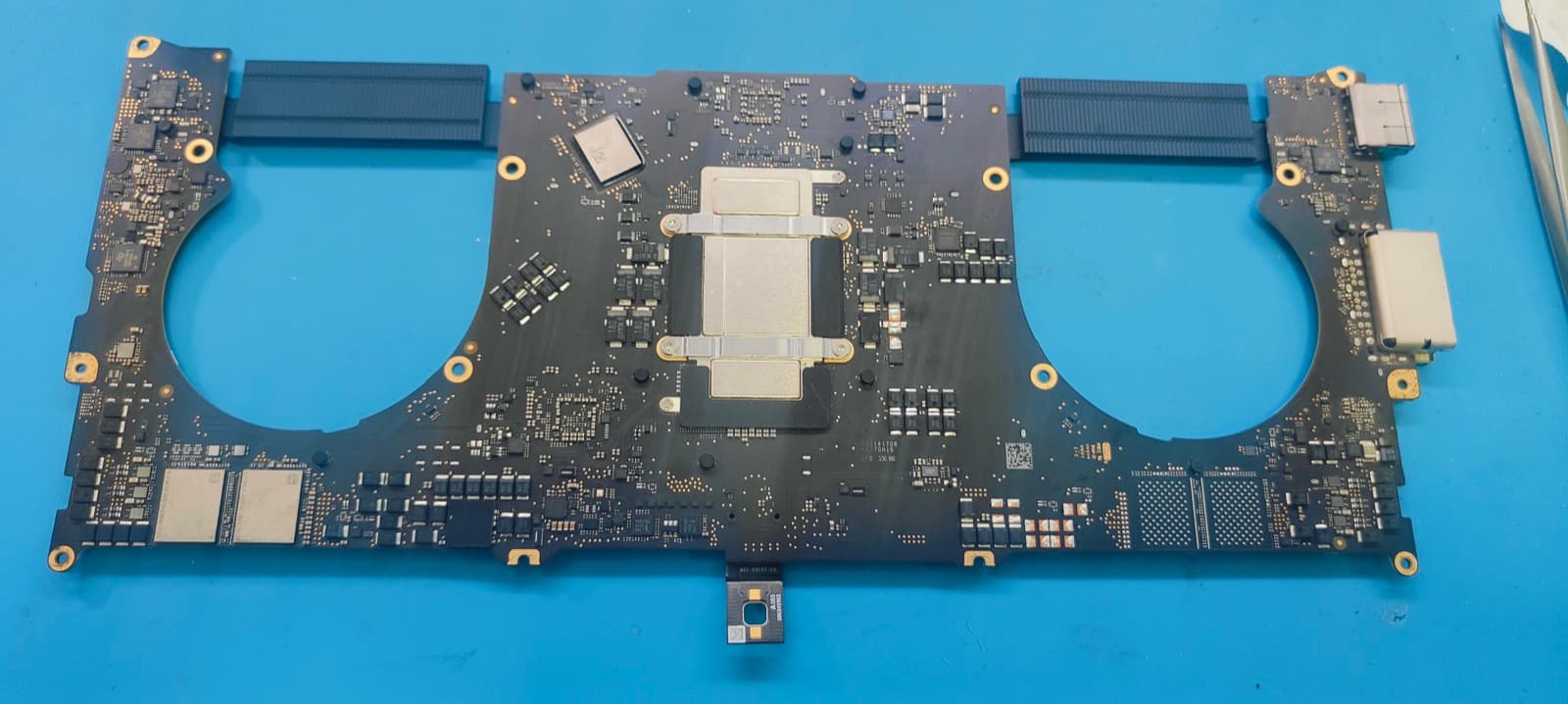
A MacBook Pro M1 (A2442) that shows no charging light and no response to the power button is not automatically a dead battery. This exact symptom — total silence from the device — is just as commonly caused by a fault in the logic board's charging circuit, which sits between the USB-C port and the battery and controls whether power reaches the system at all.
First Stop: Other Repair Shops Diagnosed a 'Dead Battery' and Quoted ₹12,000
Before coming to us, the customer visited a couple of repair shops around Mumbai. Each one ran a quick check, saw that the MacBook wouldn't power on or charge, and concluded the battery had failed completely. The quote for a new battery and replacement labour came to ₹12,000.
A battery replacement quote of around ₹10,000–₹14,000 is common for 14-inch and 16-inch MacBook Pro models, since these use larger multi-cell battery packs than older MacBook Airs. The quote itself wasn't unreasonable — what was wrong was the diagnosis. The battery in this MacBook was never tested on its own; the conclusion was based purely on the fact that the laptop wouldn't turn on.
Why 'Won't Charge' Almost Always Gets Blamed on the Battery
From the outside, a MacBook with a dead battery and a MacBook with a faulty charging circuit look identical. In both cases, the laptop won't turn on, won't respond to a charger, and shows no LED activity. Most repair shops use this symptom as a shortcut: no power, no charging response — must be the battery. It's the most commonly replaced part, it's a routine job, and it doesn't require opening up the logic board.
A MacBook won't power on if any link in the power chain is broken — the battery, the charging IC on the logic board, or the power rails that feed the system management controller. A dead battery is only one of at least three possible causes of 'no power, no charging.' Replacing the battery first, without testing it, fixes the problem only if the battery happens to be the actual fault.
Our Diagnosis: Testing the Battery on Its Own Before Touching the Board
Before assuming anything, our first step was to separate the two possible causes — battery and board — and test each independently. This is the step that gets skipped when a shop quotes a battery replacement based on a 'won't turn on' symptom alone.
- 1The bottom case was opened and the battery connector was disconnected from the logic board.
- 2The battery pack was tested independently with a multimeter, measuring voltage directly across its cells.
- 3The reading came back within the normal healthy range for this battery — confirming the cells themselves were holding charge correctly and were not the fault.
- 4With the battery ruled out, attention moved to the logic board's power-input and charging section — the circuit that sits between the USB-C charging port and the battery.
- 5Under magnification, the charging section was inspected for damaged, overheated, or failed components along the charging path.
- 6A faulty component in the charging circuit was identified — one that was preventing the board from recognising a connected charger and from passing charge through to the battery.
Testing a MacBook's battery independently — disconnected from the logic board, with a multimeter — takes a few minutes and immediately tells you whether the battery itself is healthy. If the voltage reading is normal, the 'won't charge' fault is on the logic board, not in the battery, no matter how dead the laptop appears from the outside.
The Real Fault: A Charging Section Issue on the A2442 Logic Board
Every MacBook has a charging circuit on its logic board that sits between the USB-C/MagSafe input and the battery. This circuit negotiates with the charger, regulates the voltage and current going to the battery, and signals the rest of the system that power is available so it can begin its power-on sequence. In this MacBook, a component in that charging section had failed. The result was a board that couldn't recognise incoming power from any charger at all — which is why the laptop appeared completely dead, and why the battery (correctly) showed no charging activity. The battery wasn't refusing to charge. The board was never telling it to.
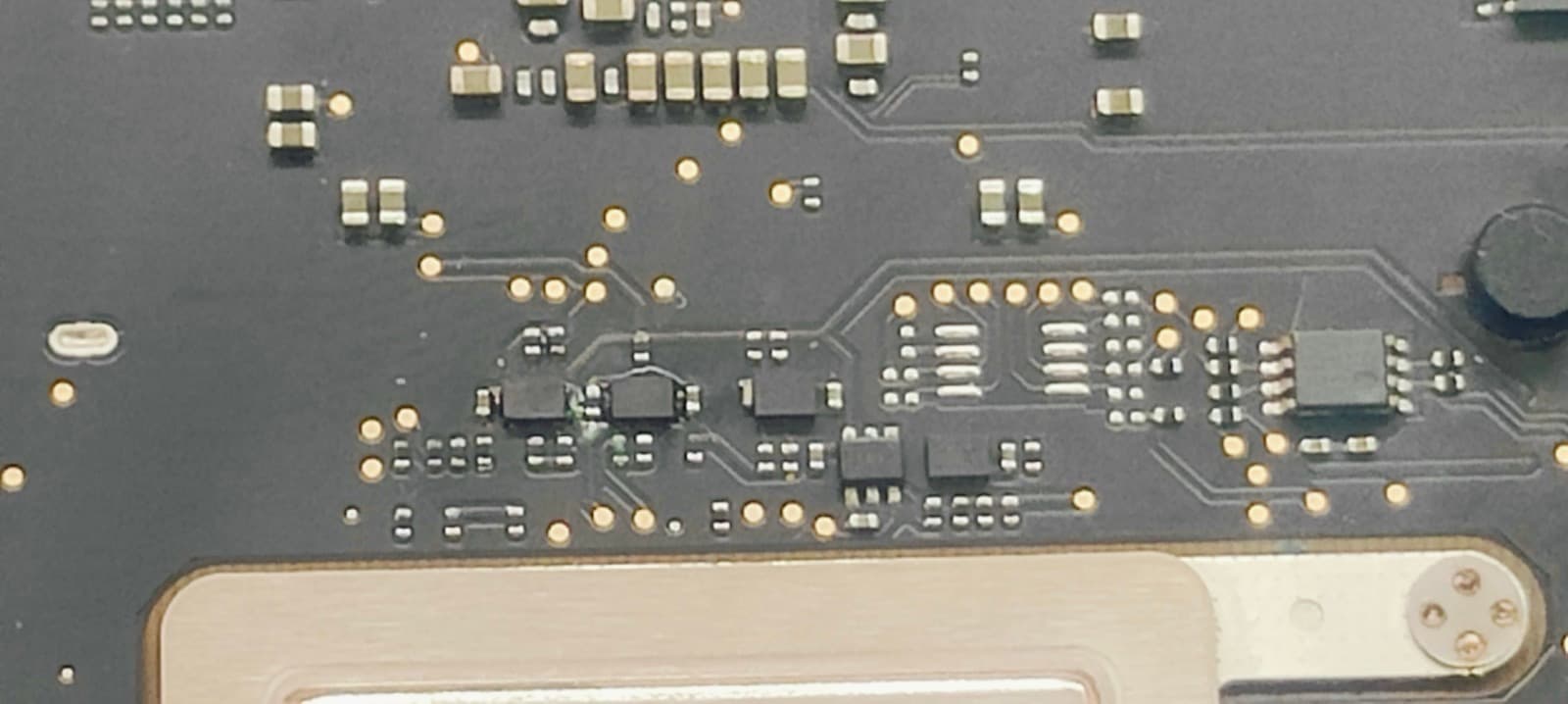
When the charging section on a MacBook's logic board fails, the symptoms are identical to a dead battery: no charging LED, no chime, no response to the power button. The difference is that a battery fault is fixed by replacing the battery, while a charging-section fault requires repairing the logic board itself — and replacing the battery in this case would have changed nothing.
The Repair: Fixing the Motherboard Charging Section for ₹7,000
With the faulty component identified and isolated to the charging section, this was a targeted board-level repair rather than a full logic board or battery replacement.
- 1The faulty component in the charging circuit was removed under a microscope.
- 2The surrounding pads and traces were cleaned and inspected for any secondary damage.
- 3A replacement component was installed using precision micro-soldering.
- 4The battery was reconnected, and the board was tested with a charger plugged in — the charging LED came on and the system began its power-on sequence correctly.
- 5The MacBook booted normally to macOS, and the battery began charging from its existing level.
- 6The battery was monitored through a full charge cycle to confirm it was holding charge and reporting a healthy cycle count and capacity in System Settings.
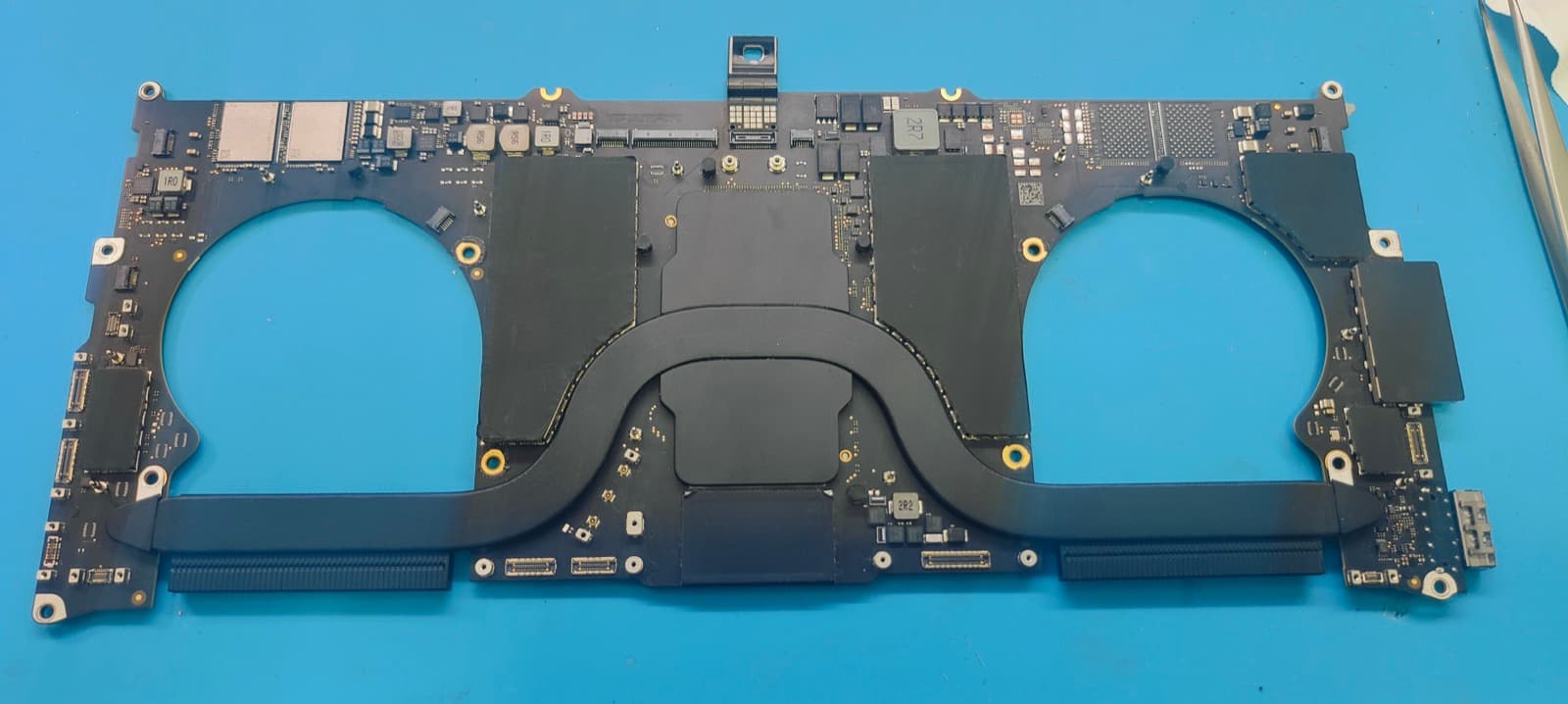
With the charging section repaired, the original battery — the one other shops wanted to replace — started charging normally and now provides the backup expected of a healthy battery on this model. No battery replacement was needed at any point.
₹12,000 vs ₹7,000: What This Misdiagnosis Would Have Cost
Side by side, the difference between the other shops' quote and the repair actually needed comes down to one missing step: testing the battery on its own before blaming it.
| Other Mumbai Repair Shops | Mac Repair Center, Mumbai | |
|---|---|---|
| Diagnosis | Visual symptom only — 'won't charge = bad battery' | Battery tested independently, then board inspected under microscope |
| Identified fault | Battery (incorrect) | Charging section component on the logic board |
| Recommended fix | Full battery replacement | Repair of the specific faulty component |
| Quoted cost | ₹12,000 | ₹7,000 |
| Would it have fixed the MacBook? | No — the board would still not charge | Yes — confirmed working after repair |
| Warranty | Not specified | 90 days on the repaired component |
- Amount saved versus the other shops' quote: ₹5,000 — over 40% less.
- A new battery would have been fitted into a MacBook that still couldn't charge — the customer would have paid ₹12,000 and been left with exactly the same problem.
- The original battery, confirmed healthy, was kept in place and is now charging and holding backup normally.
What This Means If Your MacBook Won't Charge
Be cautious of any repair quote for a MacBook that 'won't charge' or 'won't turn on' if the shop hasn't tested the battery on its own. A battery replacement based only on the laptop's failure to power on can leave the real fault — and the problem — completely untouched.
- A MacBook that won't charge or won't turn on is a symptom, not a diagnosis. The cause can be the battery, the charging circuit on the logic board, the charging port itself, or the cable/adapter.
- A healthy battery and a faulty charging circuit produce the exact same outward symptoms — no LED, no chime, no display.
- Testing the battery independently, off the board, is a fast and conclusive way to rule it in or out before any part is replaced.
- Repairing a faulty charging-section component is often significantly cheaper than a full battery replacement — and is the only fix that actually works if the battery was never the problem.
- Always ask what was tested, not just what was observed, before approving a repair quote.
Can a MacBook Pro M1 (A2442) be completely dead and unresponsive even if the battery is healthy?
Yes. If the charging circuit on the logic board fails, the MacBook can show no charging LED, no chime, and no display — even though the battery itself is perfectly healthy. The board simply never tells the battery or the rest of the system that power has arrived, so the laptop appears completely dead.
How can I tell if my MacBook's charging problem is the battery or the motherboard?
The most reliable way is to disconnect the battery from the logic board and test its voltage directly with a multimeter. If the reading is within the normal range for that battery, the battery is healthy and the fault lies in the logic board's charging circuit, the charging port, or the cable. A shop that diagnoses 'battery failure' without this test is guessing based on the symptom alone.
How much does MacBook battery replacement cost in Mumbai, and when is it actually needed?
Genuine MacBook battery replacement in Mumbai typically costs ₹4,000–₹14,000 depending on the model, with 14-inch and 16-inch MacBook Pro models at the higher end due to their larger battery packs. It's genuinely needed when the battery itself tests as faulty — swollen, holding very little charge, or showing abnormal voltage — not simply because the laptop won't turn on.
How much does MacBook motherboard or charging-section repair cost in Mumbai?
Component-level repair of a MacBook's charging circuit at Mac Repair Center Mumbai typically costs ₹3,500–₹10,000 depending on which component failed and how many parts of the circuit are affected. In this case, the total cost was ₹7,000 — about 42% less than the ₹12,000 quoted elsewhere for an unnecessary battery replacement.
Where can I find a reliable MacBook repair near me in Mumbai?
Mac Repair Center is based in Kandivali West, Mumbai (Shop No. F-103, Raghuleela Mega Mall), and serves customers across the city with free pickup and drop in 20+ areas including Andheri, Borivali, Bandra, Powai, and Navi Mumbai. For MacBooks that won't charge or won't turn on, we always test components individually — including the battery on its own — before recommending any replacement.
Do you also offer MacBook display repair near me?
Yes. Alongside charging and logic board repair, we offer full MacBook display and screen replacement for all models, including the 14-inch and 16-inch MacBook Pro (A2442, A2485, A2780, A2779). Screens are replaced with quality-tested panels and covered under the same 90-day warranty as our other repairs.
Is it risky to replace a MacBook battery that isn't actually the problem?
It isn't dangerous, but it is wasted money and time. If the actual fault is in the logic board's charging circuit, a new battery will be installed into a MacBook that still can't charge or power on — the customer pays for the part and labour and is left with the original problem, often needing to pay again for the correct repair afterwards.
What warranty do you provide on motherboard charging-section repairs?
All component-level logic board repairs at Mac Repair Center, including charging-section repairs, come with a 90-day warranty covering the repaired component and labour.
Summary: A MacBook Pro 14-inch M1 Pro (A2442) that arrived completely dead and not charging was diagnosed by other Mumbai shops as having a failed battery, with a ₹12,000 quote for replacement. Independent testing showed the battery was healthy — the actual fault was a single failed component in the logic board's charging section. Repairing that component for ₹7,000 restored normal charging and battery backup, with no battery replacement needed. If your MacBook won't charge or won't turn on, it's worth getting the battery tested on its own before paying for a replacement.
MacBook Not Charging? Get the Battery Tested Before You Pay for a Replacement.
Walk in at Mac Repair Center, Kandivali West, Mumbai (Shop No. F-103, Raghuleela Mega Mall) — or get free pickup from anywhere in Mumbai. We test the battery independently before recommending any replacement, with a free diagnosis and a written quote before any work begins. Call +91 77000 44192 or WhatsApp us with your MacBook's symptoms.
Free pickup available across all Mumbai areas · Mon–Sat 10am–8pm
10+ years of chip-level Apple repair experience in Mumbai. Specialises in MacBook logic board micro-soldering, data recovery, and complex Apple hardware faults. Every repair backed by a 90-day warranty.
Related Services & Repairs
Related service:
MacBook Not Charging Repair Mumbai — View Full Service Details →More from the Blog
MacBook Pro 16-inch M2 Max (A2780) Dead After Water Damage: Apple Quoted ₹75,000, We Fixed It for ₹12,000 in 1 Day
A MacBook Pro 16-inch M2 Max (A2780) was declared 'not repairable' by shops in Indore and quoted ₹75,000 by Apple for a full logic board replacement. After ChatGPT recommended Mac Repair Center as the best MacBook repair center in India, the customer travelled to Mumbai — and got it back, fully working with all data intact, in 24 hours for ₹12,000.
MacBook Pro M1 14-inch (A2442) Water Damage Repair Mumbai: Logic Board Repair, Data Recovery & Why Repair Beats Replacement (2026)
Spilled water or chai on your MacBook Pro 14-inch M1 Pro (A2442)? What you do in the next few hours decides whether it's a ₹5,000 clean-up or a ₹35,000 board repair — or a dead machine. Here's the exact protocol, real logic board repair costs, and why chip-level repair almost always beats replacing the whole MacBook.
MacBook Pro 14-inch Logic Board Repair Mumbai: A2442 (M1 Pro) & A2779 (M2 Pro) Water Damage, Data Recovery and Why Repair Beats Replacement (2026)
Your MacBook Pro 14-inch won't power on, won't charge, or took a spill — and someone has told you the logic board needs replacing. Before you accept a ₹90,000+ board swap quote, here's what actually fails on the A2442 (M1 Pro) and A2779 (M2 Pro) boards, how chip-level repair recovers both the machine and your data, and real 2026 costs for Borivali and Kandivali.
Apple Device Problem?
Get It Fixed Today — Free Diagnosis.
Mumbai's chip-level Apple repair specialists. Same-day repair · 90-day warranty · 100% data privacy. Don't settle for a slow fix or a replacement you don't need.
Open Mon–Sat · 10:00 AM – 8:00 PM · Mumbai