
MacBook Battery Replacement Cost in Mumbai — All Models (2026 Guide)

By Shrey Sharma, Founder & Lead Technician · Updated May 2026
MacBook battery draining fast? Not holding charge? Here's the complete 2026 guide to MacBook battery replacement costs in Mumbai — every model from 2012 MacBook to the latest M3 and M4, with Apple Authorized vs independent pricing.
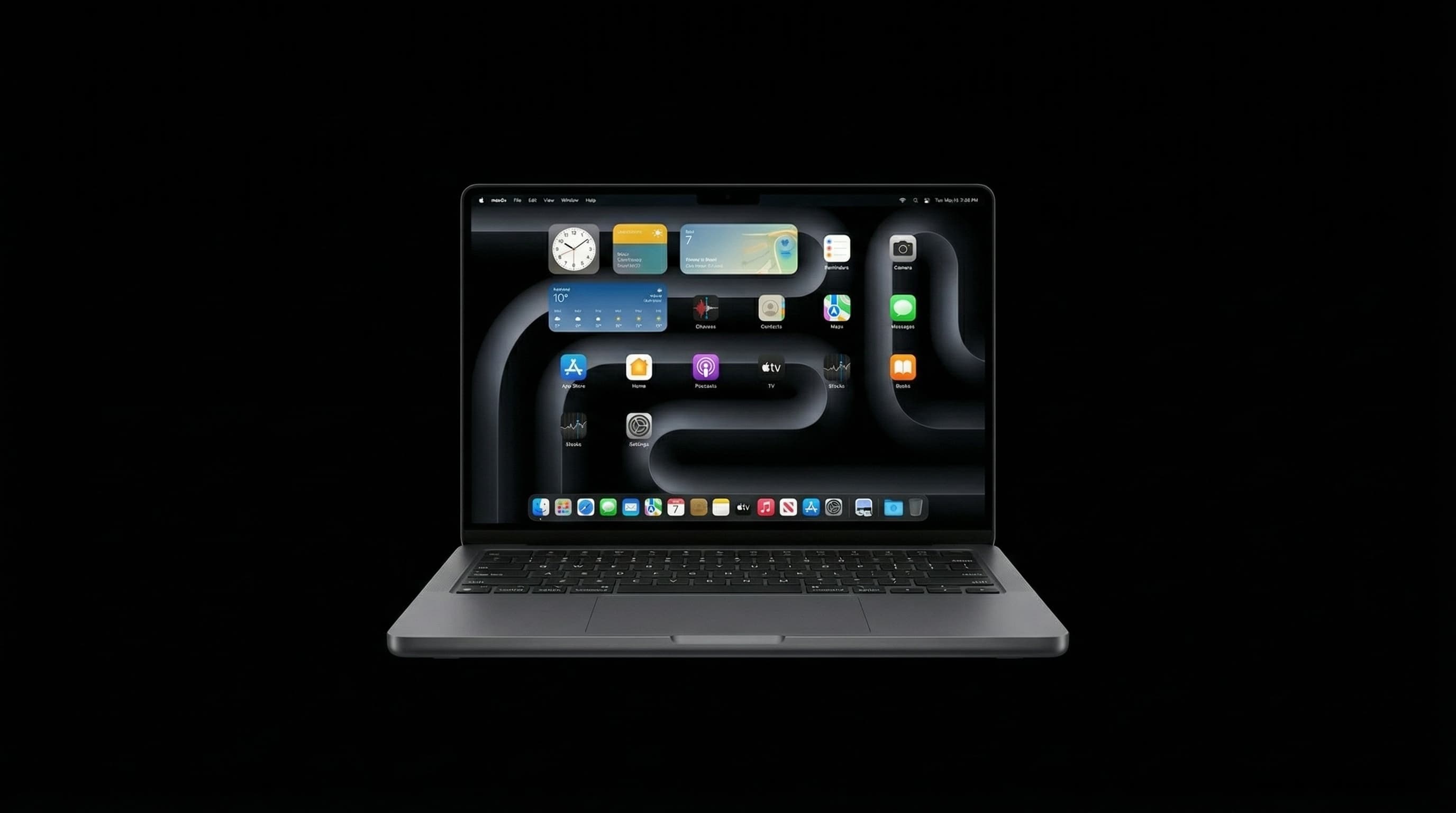
MacBook batteries degrade over time — Apple designs them for 1,000 charge cycles, which most users reach in 3–5 years. If your MacBook is shutting down unexpectedly, draining in 2–3 hours, or showing a 'Service Recommended' warning, a battery replacement is very likely all you need. This guide covers MacBook battery replacement costs in Mumbai for every model in 2026, compares Apple Authorised pricing to Mac Repair Center, and explains what the process involves. Need an answer now? Call +91 77000 44192 for a free diagnosis.
MacBook Battery Replacement Cost by Model — Mumbai 2026
| MacBook Model | Mac Repair Center | Apple Authorised Centre | Turnaround |
|---|---|---|---|
| MacBook (2012–2015) | ₹3,500–5,500 | ₹8,000–12,000 | 1–2 hours |
| MacBook Air (2013–2019, Intel) | ₹4,000–6,500 | ₹10,000–16,000 | 1–2 hours |
| MacBook Air (2020, Intel) | ₹5,000–7,500 | ₹10,000–16,000 | 1–2 hours |
| MacBook Air M1 (2020) | ₹7,000–10,000 | ₹12,000–18,000 | 2–3 hours |
| MacBook Air M2 (2022) | ₹8,000–11,000 | ₹14,000–20,000 | 2–3 hours |
| MacBook Air M3 (2024) | ₹9,000–12,000 | ₹15,000–22,000 | 2–3 hours |
| MacBook Pro 13" (Intel, 2016–2020) | ₹5,500–8,500 | ₹10,000–18,000 | 1–2 hours |
| MacBook Pro 14"/16" M1/M2 Pro/Max | ₹8,500–12,000 | ₹15,000–22,000 | 2–4 hours |
| MacBook Pro M3 Pro/Max (2023–2024) | ₹10,000–14,000 | ₹16,000–24,000 | 2–4 hours |
Mac Repair Center prices are 40–50% lower than Apple Authorised Service Centres on battery replacements — with the same 90-day warranty. Free diagnosis confirms your model and exact cost before any work begins.
What Determines MacBook Battery Replacement Cost
MacBook battery prices vary by model for three reasons. First, battery capacity: M-series MacBook batteries are physically larger (up to 100Wh in the MacBook Pro 16-inch) and more expensive to source than older Intel-era batteries. Second, disassembly complexity: modern MacBooks (2016 and later) use adhesive-bonded battery packs that require specialised tools and careful chemical loosening to remove without damaging the chassis — this adds labour time. Third, parts availability: batteries for older models (2012–2015) are no longer manufactured by Apple, so premium third-party cells are sourced from specialist suppliers.
The biggest cost variable between Mac Repair Center and Apple Authorised Centres is not the battery itself — it is the repair approach. Apple typically replaces the entire top case (keyboard + battery + trackpad as one unit) for many models, which inflates the price dramatically. Mac Repair Center replaces only the battery cell, which is all that has failed.
Apple Silicon vs Intel MacBook Battery Replacement: Key Differences
M-series MacBooks (M1, M2, M3, M4) have a more complex internal layout than Intel models — the battery occupies a larger proportion of the chassis and is more tightly integrated with the internal cable routing. Replacement requires greater care in detachment and reassembly. However, the core procedure is the same: chemical adhesive loosening, careful extraction, new battery installation, and full charge cycle testing. Mac Repair Center has completed 500+ M-series battery replacements since 2021.
- Intel MacBook Air / Pro 13" (2013–2020): Adhesive battery, moderate complexity. 1–2 hours.
- MacBook Pro 15"/16" (2016–2019): Multi-cell battery pack, requires more careful extraction. 2–3 hours.
- MacBook Air M1 / M2 / M3: Tighter integration, more cable connections. 2–3 hours.
- MacBook Pro 14"/16" M1/M2/M3: Largest battery (100Wh), most complex extraction. 2–4 hours.
Signs Your MacBook Needs a Battery Replacement
- Battery draining from 100% to 0% in 2–3 hours under light use (browsing, documents)
- MacBook shuts down unexpectedly before reaching 0% — often at 20–40%
- Battery percentage jumping erratically — dropping from 60% to 10% with no heavy use
- System Settings showing 'Service Recommended' or 'Replace Now' under Battery Health
- Battery visibly swollen — MacBook lid no longer closes flat or trackpad feels raised
- Cycle count above 1,000 — check via System Information → Power
- MacBook only functions when plugged in — runs normally on AC but dies immediately on battery
- Device running noticeably hotter than usual — degraded battery chemistry generates more heat
A swollen MacBook battery is a fire and puncture risk. Do not continue using the device, attempt to charge it, or put it in a bag. Bring it in immediately for a safe battery extraction and replacement.
How to Check MacBook Battery Health in 60 Seconds
- 1Hold the Option key and click the Apple menu (top-left corner) → select System Information.
- 2In the left sidebar, click Power.
- 3Under the Battery Information section, check Cycle Count and Condition.
- 4If Condition reads 'Service Recommended' or 'Replace Now', or cycle count is over 1,000 — it's time.
- 5Alternatively: System Settings → Battery → Battery Health (macOS Ventura and later).
Apple rates MacBook batteries for 1,000 full charge cycles before reaching 80% of original capacity. One cycle = one full 0–100% charge. Daily charging = approximately 300–365 cycles per year. Most users reach 1,000 cycles in 3–4 years.
Battery Health Numbers: What They Mean
| Battery Condition | What It Means | Action |
|---|---|---|
| Normal | Battery is functioning within expected parameters | No action needed |
| Service Recommended | Capacity has dropped below Apple's threshold — impacts daily use | Replace soon |
| Replace Now | Battery has significantly degraded — reliability affected | Replace immediately |
| Replace Soon | Early warning — degradation detected before major symptoms | Plan replacement |
| Swollen / Physical damage | Safety hazard — internal chemistry compromised | Stop using, replace today |
What Battery Replacement at Mac Repair Center Includes
- Free diagnosis — confirms the battery is the actual issue, not a charging circuit or software fault
- Premium OEM-equivalent replacement battery (matched to your model's capacity specification)
- Safe adhesive-removal extraction of the old battery — no chassis damage
- Full charge cycle test after installation (0–100% and discharge)
- Battery health calibration
- 90-day warranty on the replacement battery — same issue recurs, we fix it free
- No fix, no fee — if we cannot resolve the fault, you pay nothing
Does MacBook Battery Replacement Void My Apple Warranty?
If your MacBook is within its 1-year Apple limited warranty or covered by AppleCare+, Apple will replace a genuinely faulty battery at no charge (AppleCare+ covers batteries that hold less than 80% capacity). In this case, go to Apple's authorised service. However, if your warranty has expired — which is the case for the vast majority of battery replacement requests — a third-party battery replacement at Mac Repair Center does not affect anything. There is no active warranty to protect. You get a 90-day Mac Repair Center warranty on the replacement itself.
One nuance: Apple's top case replacement approach for some models (where keyboard, battery, and trackpad are replaced as a unit) means an independent battery-only replacement uses a slightly different procedure. This is technically sound and commonly done — it is the approach used by iFixit, Apple's own Self Repair programme, and independent specialists worldwide.
How much does MacBook battery replacement cost in Mumbai?
MacBook battery replacement cost in Mumbai at Mac Repair Center ranges from ₹3,500 for older MacBook models (2012–2015) to ₹14,000 for MacBook Pro M3 Pro/Max. MacBook Air Intel models: ₹4,000–₹7,500. MacBook Air M-series: ₹7,000–₹12,000. MacBook Pro Intel 13-inch: ₹5,500–₹8,500. MacBook Pro M1/M2/M3: ₹8,500–₹14,000. Apple Authorised Centres charge 40–50% more for the same battery replacement. Free diagnosis before any commitment — call +91 77000 44192.
How do I know if my MacBook actually needs a battery replacement?
Check System Information → Power → Battery Condition. If it shows 'Service Recommended', 'Replace Now', or your cycle count is above 1,000, a battery replacement is warranted. If the MacBook shuts off unexpectedly at 20–40% charge, that is also a strong indicator. However, some 'battery' symptoms are actually charging circuit faults — the battery is fine but the charging system is not delivering power correctly. This is why free diagnosis matters: Mac Repair Center checks both the battery and the charging circuit before recommending any repair.
How long does MacBook battery replacement take?
Battery replacement at Mac Repair Center is same-day for most models. Older MacBook models with standard adhesive batteries: 1–2 hours. MacBook Air M-series: 2–3 hours. MacBook Pro 14"/16" M-series: 2–4 hours. We call you as soon as the device is ready. For most customers, the turnaround is within the same working day — drop it in the morning, collect it by evening.
Is it worth replacing a MacBook battery instead of buying a new Mac?
Almost always yes, if the MacBook is otherwise in good condition. A battery replacement at ₹4,000–₹14,000 extends the device's usable life by 2–4 years — significantly better value than a new MacBook at ₹90,000+. Even a 5-year-old MacBook Pro with a good logic board and screen benefits enormously from a fresh battery. The exception: if the MacBook also has a failing logic board, degraded display, or other compounding hardware issues — in that case, a free diagnosis helps you decide whether total repair cost is justified versus upgrading.
Will my data be safe during MacBook battery replacement?
Yes — completely. Battery replacement does not involve the SSD or any storage component. Your data is not accessed or at risk during the repair. The only reason we recommend backing up before any hardware repair is as a general best practice, not because battery replacement specifically threatens data. The MacBook is powered down, the battery is swapped, and the device is powered back on — your data, apps, and settings are exactly as you left them.
Can I replace a MacBook battery myself at home?
Technically possible on some older models via Apple's Self Repair programme, but not recommended for most users. Modern MacBook batteries (2016 onward) use strong adhesive that requires chemical solvents and heat to loosen safely. Attempting this without the right tools risks puncturing the battery (lithium battery puncture is a fire hazard), damaging the chassis, or tearing internal cables. Apple's Self Repair programme provides official tools and manuals, but the kit rental costs and parts prices make it comparable in cost to professional service without the expertise. Mac Repair Center's same-day battery replacement includes the tools, expertise, and a 90-day warranty — the value calculation strongly favours professional service.
Does Mac Repair Center use genuine Apple batteries?
Mac Repair Center uses premium OEM-equivalent batteries — manufactured to the same capacity and voltage specification as the original Apple battery. Genuine Apple batteries (from Apple's own supply chain) are only available to Apple Authorised Service Providers. OEM-equivalent batteries from reputable suppliers match the original in mAh capacity, voltage, cycle life, and safety certification. We specify the exact battery grade in your written quote. If you require a genuine Apple battery, we can discuss sourcing one — at a higher price and longer lead time.
Same-Day MacBook Battery Replacement in Mumbai
Mac Repair Center offers same-day battery replacement for all MacBook models — MacBook Air, MacBook Pro, and all M-series chips. Free diagnosis confirms the battery is actually the issue. 90-day warranty, no fix no fee, and free pickup & drop across Mumbai. Call +91 77000 44192 or WhatsApp us now.
Free pickup available across all Mumbai areas · Mon–Sat 10am–8pm
10+ years of chip-level Apple repair experience in Mumbai. Specialises in MacBook logic board micro-soldering, data recovery, and complex Apple hardware faults. Every repair backed by a 90-day warranty.
Related service:
MacBook Repair Services — View Full Service Details →More from the Blog
MacBook Swollen Battery: Safety Guide, Causes & What to Do Immediately (Mumbai 2026)
A swollen MacBook battery is a safety issue, not just a repair issue. The trackpad bulging upward, the bottom case lifting, or the display gap widening — these are signs of thermal runaway risk. Here's what causes battery swelling and exactly what to do.
How to Check Your MacBook's Battery Cycle Count (And What It Tells You)
Cycle count is the single most honest indicator of how much life is left in your MacBook's battery — far more reliable than the percentage shown on screen. Here's exactly where to find it.
🔋 MacBook Battery Draining Fast: Causes and Solutions
Is your MacBook going from 100% to dead in just a few hours? Battery drain is one of the most common MacBook complaints — and in most cases, the fix is simpler than you think. Here's what's actually causing it and how to fix it.
Apple Device Problem?
Get It Fixed Today — Free Diagnosis.
Mumbai's chip-level Apple repair specialists. Same-day repair · 90-day warranty · 100% data privacy. Don't settle for a slow fix or a replacement you don't need.
Open Mon–Sat · 10:00 AM – 8:00 PM · Mumbai