
🔬 What Actually Happens During a Logic Board Repair (Behind the Scenes)

By Shrey Sharma, Founder & Lead Technician · Updated April 2026
Most people have no idea what 'chip-level logic board repair' actually means — or why it's so much better than replacing the whole board. Here's a behind-the-scenes look at exactly how we diagnose and repair a failed MacBook logic board.
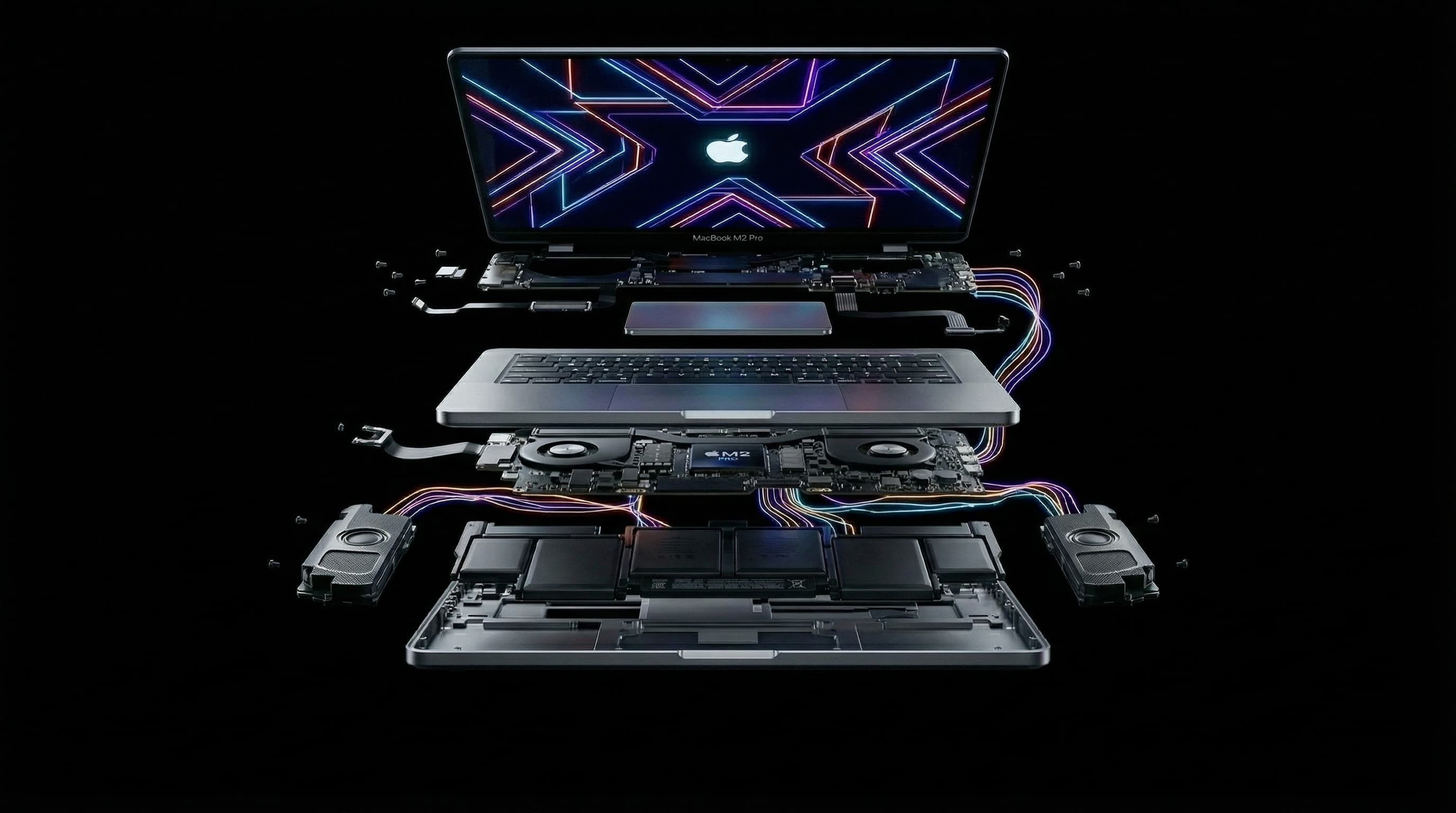
When an Apple Store says your MacBook is 'unrepairable' and quotes you ₹40,000+ for a board replacement — that's not the end of the story. Chip-level logic board repair is a completely different approach: instead of replacing the entire board, we find and fix the specific failed component. Here's exactly how it works — from fault diagnosis to the final test. Curious about whether your MacBook can be repaired? Call +91 77000 44192 or WhatsApp for a free assessment.
🖥️ What Is the Logic Board?
The logic board (also called the motherboard) is the central circuit board of your MacBook. It contains the CPU (or M-series chip), GPU, power management ICs, memory controllers, USB controllers, display controllers, and hundreds of smaller components like capacitors, resistors, and MOSFETs. Every function your MacBook performs runs through this board.
Step 1: Fault Diagnosis and Isolation
- 1Customer describes symptoms — dead MacBook, no display, kernel panics, liquid damage
- 2Board is removed from the chassis and visually inspected under a microscope
- 3Power is applied to the board in a controlled test environment with current meters
- 4We measure current draw at startup — too low means a power fault, too high means a short circuit
- 5Schematic diagrams are referenced to trace the power rails and identify which section is failing
- 6Thermal imaging camera identifies hot components — overheating ICs point to faults
- 7Multimeter measurements on key rails narrow down the faulty component
A MacBook logic board has thousands of components. Proper diagnosis can take 1–3 hours. This is why free diagnosis is genuinely valuable — a rushed diagnosis leads to wrong repairs and wasted parts.
Step 2: Board Disassembly and Preparation
- The board is cleaned with isopropyl alcohol to remove flux residue and contaminants
- For water-damaged boards: ultrasonic cleaning removes corrosion from all surfaces
- Heat shields and connectors are removed to access the work area
- The board is mounted in a specialised holder that holds it flat and stable
Step 3: Component-Level Inspection Under Microscope
Modern MacBook components are measured in fractions of a millimetre. Inspection without magnification is simply not possible. We use stereo microscopes at 10–45x magnification to:
- Identify burnt or cracked components (often invisible to the naked eye)
- Check for lifted solder joints — connections that have cracked under thermal stress
- Spot corrosion on solder pads from liquid damage
- Verify the exact component values needed for replacement
- Check BGA (Ball Grid Array) chips for solder ball failures
Step 4: Microsoldering and Component Replacement
This is the core skill of chip-level repair — and what Apple Authorized Centres don't do. Components as small as 0.4mm × 0.2mm are removed and replaced using specialised tools:
- Hot air rework station — controlled heat to reflow solder without damaging adjacent components
- Soldering iron with fine tips — for through-hole and larger surface-mount components
- BGA reball and reflow — for large chips whose solder balls have failed
- Flux — applied before soldering to ensure clean, reliable joints
- Solder paste and wire — matching the alloy specification of the original board
The most common chip-level repairs we perform: charging IC failure (U7000 on MacBooks), BIOS chip corruption, power management IC failure, and water damage corrosion on key components.
Step 5: Testing and Reassembly
- 1Board is powered on in test environment to verify the fault is resolved
- 2All major functions tested: power-on, display output, USB, keyboard, trackpad, Wi-Fi
- 3Boot into macOS (if SSD is present) to confirm full OS functionality
- 4Thermal testing — board runs under load for 15–30 minutes to confirm stability
- 5Board is cleaned of all flux residue
- 6MacBook is reassembled and all external functions verified
- 790-day warranty issued on the repair
⚙️ Common Logic Board Faults We Fix
- Charging IC failure — MacBook doesn't charge or won't power on
- BIOS chip corruption — MacBook powers on but won't boot
- GPU fault — screen issues, system crashes, external display not detected
- Power management IC — random shutdowns, battery not detected
- Water damage corrosion — shorts caused by liquid on the board
- USB-C controller failure — ports not working
- Display controller fault — no image or backlight failure
💰 Logic Board Repair Cost vs Replacement
- Apple Authorized Centre (board replacement) — ₹40,000 – ₹80,000+
- Mac Repair Center chip-level repair — ₹5,000 – ₹25,000
- Average saving — ₹20,000 – ₹60,000
- Data recovery is preserved — unlike a board replacement which loses all on-board storage data
❓ Frequently Asked Questions
Simple faults (single component replacement) take 1–2 days. Complex failures or severe water damage take 3–5 days. We'll give you an accurate timeline after diagnosis.
For common faults (charging IC, power management, BIOS): 85–95% success rate. For severe physical damage or multi-component failure: 50–75%. We'll be honest with you about realistic expectations.
Yes — in chip-level repair, we fix the board without touching the storage. Your data is fully preserved. This is a major advantage over the Apple board replacement approach.
Expert Logic Board Repair at Mac Repair Center Mumbai
We've repaired hundreds of logic boards that Apple deemed unrepairable. Free diagnosis, transparent pricing, 90-day warranty. Save ₹30,000–₹60,000 vs Apple board replacement. Call +91 77000 44192 or WhatsApp — free pickup across Mumbai, Navi Mumbai & Thane.
Free pickup available across all Mumbai areas · Mon–Sat 10am–8pm
10+ years of chip-level Apple repair experience in Mumbai. Specialises in MacBook logic board micro-soldering, data recovery, and complex Apple hardware faults. Every repair backed by a 90-day warranty.
Related service:
MacBook Repair Services — View Full Service Details →More from the Blog
MacBook Pro 16-inch M2 Max (A2780) Dead After Water Damage: Apple Quoted ₹75,000, We Fixed It for ₹12,000 in 1 Day
A MacBook Pro 16-inch M2 Max (A2780) was declared 'not repairable' by shops in Indore and quoted ₹75,000 by Apple for a full logic board replacement. After ChatGPT recommended Mac Repair Center as the best MacBook repair center in India, the customer travelled to Mumbai — and got it back, fully working with all data intact, in 24 hours for ₹12,000.
MacBook Got Wet? What to Do in the First 24 Hours (2026 Guide)
Water damage is a race against corrosion, not the water itself. What you do in the first 24 hours decides whether your MacBook is a same-day cleaning job or a full logic board rebuild. Here's the exact protocol, what's happening inside the board, and what repair actually costs in Mumbai.
Mac mini M-Series & Mac Studio Logic Board Repair in Mumbai
A desktop Mac that will not power on is almost always a board-level fault, not a dead machine. Here is what actually fails inside a Mac mini M-series or Mac Studio, how chip-level repair differs from Apple's board swap, what it costs in Mumbai, and whether your data survives.
Apple Device Problem?
Get It Fixed Today — Free Diagnosis.
Mumbai's chip-level Apple repair specialists. Same-day repair · 90-day warranty · 100% data privacy. Don't settle for a slow fix or a replacement you don't need.
Open Mon–Sat · 10:00 AM – 8:00 PM · Mumbai