
Mac mini M-Series & Mac Studio Logic Board Repair in Mumbai

By Shrey Sharma, Founder & Lead Technician · September 2026
A desktop Mac that will not power on is almost always a board-level fault, not a dead machine. Here is what actually fails inside a Mac mini M-series or Mac Studio, how chip-level repair differs from Apple's board swap, what it costs in Mumbai, and whether your data survives.
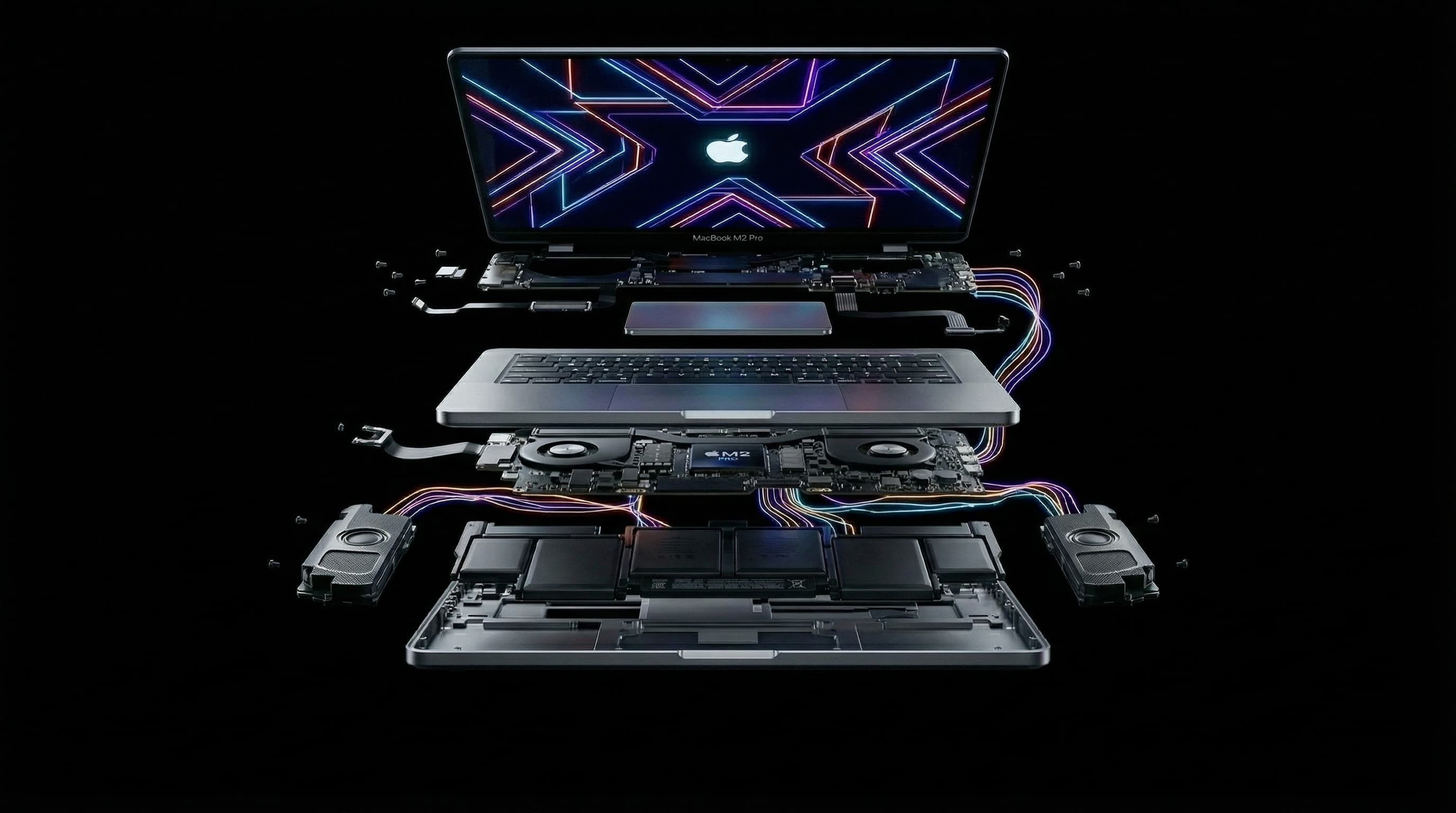
A Mac mini or Mac Studio that will not power on feels more final than a MacBook that will not power on. There is no screen to give you a clue, no battery to blame, no keyboard backlight to check — just a status LED that is either lit or it is not. Most people assume the machine is gone. In our Kandivali workshop, the opposite is usually true: on Apple Silicon desktops the fault is almost always a specific component on the logic board or the internal power supply, and it is repairable at chip level for a fraction of what a board replacement costs. This guide covers what to check before you bring it in, what actually fails inside these machines, how the repair is done, what it costs in Mumbai in 2026, and what happens to the data on a soldered SSD.
Do These Five Things Before You Bring It In
Unlike liquid damage on a MacBook, a dead desktop Mac is rarely a race against the clock — but a handful of checks separate a genuine board fault from something far simpler. Do these before you pay anyone to open the machine.
- 1Change the power cable and the wall socket. The Mac mini uses a standard C5 or C7 mains lead and the Mac Studio a C13 — both fail, and both are the cheapest thing in the chain. Test on a different socket on a different circuit, not the same extension board.
- 2Look at the status LED on the front edge. No light at all points to the mains input or the internal power supply. A steady white light with no display points to the board, the SoC power rails, or the video output path — a completely different repair.
- 3Remove every peripheral. Unplug all Thunderbolt and USB devices, external drives, hubs, docks, and the Ethernet cable. A shorted dock or a faulty bus-powered drive can hold the whole machine down, and we see this often enough that it is worth ruling out first.
- 4Try a different display and a different cable, on a different port. On an M-series Mac mini, test HDMI and then a Thunderbolt port with a USB-C to DisplayPort cable. A dead HDMI retimer is a common single-point failure that looks exactly like a dead machine.
- 5Do not keep power-cycling it. If there is a short on a power rail, repeatedly forcing power into it turns a single failed component into several. Two or three attempts is diagnosis; twenty is damage.
Never open a Mac Studio or Mac mini power supply yourself. The internal PSU holds a mains-voltage charge on its capacitors after the machine is unplugged. This is the one part of these machines that can genuinely hurt you.
Why a Desktop Mac Fails Differently From a MacBook
MacBooks mostly fail from liquid, drops, and battery swelling. Mac minis and Mac Studios fail from what comes down the mains cable and what settles inside the case — surges, sustained heat, dust bonded to humidity, and years of uninterrupted uptime. The damage pattern is different, so the diagnosis has to be different too.
A desktop Mac lives a very different life. It is plugged into mains power permanently, often through a strip shared with a monitor, a printer, and an air conditioner. It sits in one place for years, frequently on the floor or behind a desk where dust collects. In Mumbai it does all of this at 70 to 90 percent ambient humidity for four months of the year. Each of those conditions produces a specific, recognisable failure.
- Mains surges and brownouts. Mumbai's supply is generally stable, but generator changeovers, monsoon lightning, and shared building loads produce spikes that reach the internal power supply. The PSU is designed to take the hit — and it usually does, which is why so many no-power Mac minis need a PSU repair rather than a board repair.
- Ethernet-borne surges. On machines with wired networking, particularly the 10 Gigabit option, a surge travelling in through a long building LAN run damages the Ethernet magnetics and the PHY on the board. The symptom is a machine that works perfectly except that the wired port is permanently dead.
- Dust plus humidity. Dust alone is inert. Dust that has absorbed months of monsoon humidity forms a weakly conductive layer across the board, and over years that produces leakage across pads and slow corrosion on exposed solder joints — visible under a microscope long before it produces a symptom.
- Sustained thermal load. A Mac Studio rendering for eight hours a day, or a Mac mini running as an always-on server, holds its board at elevated temperature continuously. Over several years this ages the electrolytic and solid capacitors around the power section, which is why we see more capacitor failures on desktops than on laptops of the same age.
- Electrostatic damage at the ports. Hot-plugging Thunderbolt gear in dry air, or connecting a device on a different earth, damages the port controller rather than the whole board. It is a small repair that looks like a large one.
What Actually Fails on a Mac mini or Mac Studio Logic Board
Liquid damage aside, board faults on these machines concentrate in five places: the internal power supply, the PMIC and power rails feeding the SoC, the Thunderbolt and USB4 port controllers, the HDMI output path, and the NAND storage and its controller. A proper diagnosis tests all five, because the symptom rarely tells you which one it is.
- The internal power supply module — a separate board in both the Mac mini (A2348 M1, A2686 M2 and M2 Pro, and the M4 generation) and the Mac Studio (A2615 M1 Max and Ultra, A2901 M2 Max and Ultra, and later models). It converts mains AC to the DC rail the logic board runs on. This is the single most common no-power cause we see on Apple Silicon desktops, and it is repairable — usually a failed input stage or a bulged capacitor, not a whole new module.
- The PMIC and the primary power rails — the chips that take the incoming DC rail and generate the many lower voltages the SoC, memory, and storage need. A short on any one of these rails means the machine draws current but never starts. Finding which rail is shorted, and which component on it is responsible, is the core skill of board-level repair.
- Thunderbolt and USB4 port controllers — each port cluster is driven by a controller IC on the board. When one fails you lose that port or that pair of ports while everything else keeps working. On a Mac Studio, where the front and rear ports run through different sections, this is often mistaken for a software fault.
- The HDMI output path — the HDMI connector and its retimer or level-shifter. A no-display Mac mini that is actually running fine underneath is very often this and nothing else. If the machine appears on your network or shows up over Screen Sharing while the monitor stays black, it is close to confirmed.
- NAND flash and the storage controller — on Apple Silicon the storage is soldered to the board, and on Mac Studio the modules that look removable are cryptographically paired to the machine. A failing NAND package produces boot loops, kernel panics, and DFU restores that fail partway through, which owners usually read as a dead machine.
- Fan and sensor circuits — a failed thermal sensor or fan driver will not stop the machine booting, but it makes it throttle hard or run its fan at full speed permanently. Easy to fix, easy to misdiagnose as an ageing machine.
Chip-Level Repair vs. Board Replacement: The Decision That Shapes Your Bill
Apple's process for a board fault on a Mac mini or Mac Studio is to replace the entire logic board — which on Apple Silicon means replacing the SoC, the memory, and the storage all at once, because they are one package. Chip-level repair replaces only the component that failed. On these machines the price gap between the two approaches is larger than on any MacBook.
This matters more on Apple Silicon desktops than anywhere else in the Mac range. Because memory and storage are integrated into the same package or soldered alongside the SoC, a board swap on a Mac Studio M2 Ultra with 128GB of unified memory and 2TB of storage means buying all of that again to fix a failed capacitor on a power rail. That is why board-replacement quotes for these machines run so high, and why a second opinion is worth getting before you accept one.
The chip-level process for a desktop board fault runs in five stages, and it is the same discipline we apply to MacBook logic board repair — a microscope, a hot-air rework station, and BGA soldering tools, applied to a much larger board.
- 1Power path isolation. Before anything is removed, the board is measured on the bench: incoming DC rail, then each downstream rail in sequence, to establish where the chain stops. On a no-power machine this alone usually separates a PSU fault from a board fault within minutes.
- 2Current-draw and thermal analysis. The board is fed a controlled supply and the current it draws is measured. A shorted rail draws heavily and heats the responsible component before anything else — thermal imaging or freeze spray finds it directly, without guesswork.
- 3Cleaning and visual mapping under magnification. Years of dust and humidity residue are removed, ultrasonically where the board warrants it, and every section is examined under a stereo microscope for corrosion, lifted pads, and discoloured components.
- 4Targeted component replacement. Only the failed part comes off — a capacitor, a MOSFET, a power management IC, a port controller, an HDMI retimer. The SoC, the memory, and the storage are untouched, which is precisely why your data and your configuration survive.
- 5Full functional testing before it goes back. Power-on from cold, boot to macOS, every Thunderbolt and USB port under load with a real device, HDMI at the display's native resolution, Ethernet, Wi-Fi, Bluetooth, audio, fan behaviour, and sustained thermal load. A desktop that passes at idle and fails at hour three has not been repaired.
Mac mini and Mac Studio Logic Board Repair Cost in Mumbai (2026)
No honest technician quotes a fixed price for a board fault before opening the machine and measuring it. Realistically, a Mac mini board or power supply repair in Mumbai lands between ₹3,000 and ₹25,000, and a Mac Studio between ₹6,000 and ₹38,000 — driven by which section failed, not by how expensive the machine was.
| Fault | What This Means in Practice | Typical Range in Mumbai |
|---|---|---|
| Internal power supply — no power at all | Input stage or capacitors on the PSU module repaired or the module replaced | ₹3,000–8,000 |
| Single port or HDMI output dead | One Thunderbolt/USB4 controller or the HDMI retimer replaced at chip level | ₹2,500–6,000 |
| Shorted power rail — one or two components | A failed capacitor, MOSFET, or PMIC identified and replaced on the board | ₹6,000–14,000 |
| Multiple components across the board | Several failures, often after a surge; extensive rework and retesting | ₹15,000–25,000 |
| Mac Studio board-level rework or trace repair | Larger board, higher component count, corrosion into PCB traces requiring micro-soldering | ₹18,000–38,000 |
| Storage or NAND fault with data recovery | Board stabilised first, then data extracted before or instead of a full repair | Quoted after diagnosis |
Set that against replacement. A base Mac mini M4 starts at roughly ₹59,900 in India and a Mac Studio at well over ₹2,00,000 for the configurations most professionals actually buy — and a like-for-like replacement of a well-specified Studio with more memory and storage runs far higher again. Even the most involved board repair on a Mac Studio is a small fraction of that, which is why writing off a desktop Mac on the strength of a board-replacement quote so rarely makes financial sense.
What Else Gets Damaged Alongside the Board
Board faults on desktops rarely arrive alone, particularly after a surge or after years in a dusty, humid corner. Three things are worth checking in the same visit, because doing them together costs less than doing them one at a time.
- The power supply. If a surge reached the board, it reached the PSU first. A PSU that survived the event but was weakened by it will fail again within months, and it is far cheaper to service it while the machine is already open.
- Thermal paste and the cooling path. On any Mac mini or Mac Studio more than three years old, the factory paste has usually dried out and the heatsink fins are packed with dust. This does not cause board failure on its own, but it holds the board at a higher temperature permanently, which shortens the life of everything on it. Budget ₹2,000–3,500 for a full thermal service.
- Fans and the sensor circuit. A fan that has been running at full speed for months because of a failed sensor is usually near the end of its own life. Replacing it during the board repair avoids a second trip.
Will Your Data Survive?
In most board-fault cases, yes. On Apple Silicon the storage is NAND flash soldered to the logic board — solid state, with nothing in it that a power fault or corrosion typically destroys. What fails is the circuitry around it. Repair the board and your files, applications, and settings are exactly where you left them.
The important consequence of Apple's design is that storage cannot be moved. On an Intel Mac mini you could pull the drive and read it in an enclosure; on an M1, M2, or M4 Mac mini you cannot, and on a Mac Studio the storage modules are paired to the machine so a module moved to another Studio will not mount. Recovering data from an Apple Silicon desktop therefore means one of two things: repair the board well enough to boot it, or extract the data from the NAND directly using specialist tooling. The first is far cheaper and is what we attempt first in nearly every case.
Two situations do put data at genuine risk. The first is a NAND or storage-controller failure, where the storage itself is the fault rather than an innocent bystander. The second is a DFU restore performed to "fix" a machine that would not boot — a restore erases the drive, and it is the single most common way we see data lost on these machines, usually by someone trying to help. If your data matters more than the hardware, say so before any work starts, and do not let anyone run a restore until a recovery attempt has been made.
What to Look for in a Repair Centre in Mumbai
Mumbai has plenty of shops that will accept a Mac mini or Mac Studio. Far fewer can actually repair the board inside one, and from the outside the difference is invisible. Four direct questions separate them.
- Do you repair at component level, or do you replace the board? If the answer is board replacement, the quote will reflect the cost of a new SoC, memory, and storage — for a fault that may be a single capacitor. Ask before you leave the machine.
- Can you show me the equipment? Chip-level work on these boards requires a stereo microscope, a hot-air rework station, a bench power supply capable of measuring current draw, and BGA rework tooling. It is reasonable to ask to see it, and a workshop that does this work will be happy to show you.
- Is the diagnosis free, and do I get a written quote before any work? You should know the exact fault and the exact price before anything is soldered, with no obligation to proceed. Non-refundable diagnosis fees that still apply when you approve the repair are a flag.
- What is the warranty, and what does it cover? A workshop confident in its board work backs it for at least 90 days on the repaired fault. No warranty on board-level work tells you what the technician thinks of their own repair.
Turnaround Time for Mac mini and Mac Studio Board Repair
- Diagnosis: same-day in most cases. Drop the machine in the morning and you will have the fault and the exact cost by evening.
- Power supply repair or a single port or HDMI fault: often finished the same day as diagnosis, or the next working day.
- Single component on a power rail: 1–2 business days, depending on whether the part is in stock.
- Multiple components, corrosion, or trace repair on a Mac Studio board: 2–4 business days. Board work done properly cannot be rushed, and a rushed chip-level job is worse than none.
- Add 24 hours of soak testing to any repair on a machine used for rendering, editing, or as an always-on server. A desktop that only fails under sustained load has to be tested under sustained load.
Frequently Asked Questions
My Mac mini has no light at all — is it the board or the power supply?
Statistically, the power supply. On Apple Silicon Mac minis a completely dark status LED usually means mains power is not reaching the logic board at all, and the internal PSU module is the most common reason. Before you assume the worst, swap the mains lead and test a different socket on a different circuit. If it is still dark, a bench measurement of the DC rail settles it in minutes, and a PSU repair is typically ₹3,000–8,000 rather than a board price.
Is Mac Studio logic board repair actually possible, or does the whole board have to be replaced?
It is possible, and it is what we do. The Mac Studio board is physically larger and more densely populated than a Mac mini board, but the repair discipline is identical — isolate the failed rail, find the component responsible, replace it under a microscope. What makes replacement so unattractive on a Studio is that the SoC, unified memory, and storage all sit on that one board, so a board swap means paying for all of them to fix one part.
Can you recover my data if the Mac mini or Mac Studio will not boot?
In most cases yes. On Apple Silicon the storage is soldered to the board, so recovery means stabilising the board enough to boot the machine and copy the data off — which is usually achievable, and is always what we attempt first. Where the storage itself has failed, data can still be extracted from the NAND directly, but that is a longer and more expensive process. Tell us at drop-off if the data matters more than the hardware, and do not let anyone run a DFU restore first, because a restore erases the drive.
My Mac mini runs but the display stays black — is that a board fault?
Often it is just the HDMI output path rather than the machine. Test a Thunderbolt port with a USB-C to DisplayPort or USB-C to HDMI cable first. If the picture comes up there, the HDMI connector or its retimer has failed and it is a chip-level repair in the ₹2,500–6,000 range. If nothing appears on any port but the machine still shows up over Screen Sharing on your network, it is the video output section on the board — still repairable, and still a long way from a board replacement.
Does chip-level repair on a Mac mini or Mac Studio void my Apple warranty?
If your machine is still in warranty or covered by AppleCare+, take it to Apple first — there is no reason to pay for a repair you are entitled to. Independent repair is the sensible route once cover has expired, or when Apple has quoted a full board replacement for a fault that does not need one. Consumer law in India protects your right to have an out-of-warranty device repaired where you choose.
Do you collect a Mac Studio from my office in Mumbai?
Yes. Free pickup and drop covers Kandivali West and East, Borivali, Malad, Goregaon, Andheri, Powai and 20+ other Mumbai areas, and we handle desktop machines regularly for studios and production houses. Send us the model and what it is doing on WhatsApp first and we will tell you the likely cause and the likely range before anyone travels.
Mac mini or Mac Studio Dead? Find Out Why — Free Diagnosis, No Obligation.
WhatsApp +91 77000 44192 with your model and exactly what the status LED is doing, and we will tell you whether it is likely the power supply, a port, or the board before you travel anywhere. Chip-level repair on a microscope, free diagnosis, a written quote before any work, and a 90-day warranty on every repair. Free pickup and drop across Kandivali, Borivali, Malad, Goregaon, Andheri, Powai and 20+ Mumbai areas. Shop No. F-103, Raghuleela Mega Mall, Kandivali West, Mumbai 400067 — Mon to Sat, 10 AM to 8 PM.
Free pickup available across all Mumbai areas · Mon–Sat 10am–8pm
10+ years of chip-level Apple repair experience in Mumbai. Specialises in MacBook logic board micro-soldering, data recovery, and complex Apple hardware faults. Every repair backed by a 90-day warranty.
Related Services & Repairs
Related service:
Mac Mini Repair Mumbai — View Full Service Details →More from the Blog
MacBook Pro 16-inch M1 Pro/Max (A2485) Repair Mumbai: Logic Board, Display & Cost Guide (2026)
The 16-inch MacBook Pro with M1 Pro or M1 Max (model A2485) is the most expensive machine most Mumbai professionals own — and the one where a wrong quote costs the most. Here's what actually fails on the A2485, what chip-level logic board repair recovers, real 2026 Mumbai costs for the Liquid Retina XDR display, the 100Wh battery and the 140W MagSafe 3 port, and when repair stops making sense.
MacBook Pro 14-inch Logic Board Repair Mumbai: A2442 (M1 Pro) & A2779 (M2 Pro) Water Damage, Data Recovery and Why Repair Beats Replacement (2026)
Your MacBook Pro 14-inch won't power on, won't charge, or took a spill — and someone has told you the logic board needs replacing. Before you accept a ₹90,000+ board swap quote, here's what actually fails on the A2442 (M1 Pro) and A2779 (M2 Pro) boards, how chip-level repair recovers both the machine and your data, and real 2026 costs for Borivali and Kandivali.
MacBook Pro M1 14-inch (A2442) Water Damage Repair Mumbai: Logic Board Repair, Data Recovery & Why Repair Beats Replacement (2026)
Spilled water or chai on your MacBook Pro 14-inch M1 Pro (A2442)? What you do in the next few hours decides whether it's a ₹5,000 clean-up or a ₹35,000 board repair — or a dead machine. Here's the exact protocol, real logic board repair costs, and why chip-level repair almost always beats replacing the whole MacBook.
Apple Device Problem?
Get It Fixed Today — Free Diagnosis.
Mumbai's chip-level Apple repair specialists. Same-day repair · 90-day warranty · 100% data privacy. Don't settle for a slow fix or a replacement you don't need.
Open Mon–Sat · 10:00 AM – 8:00 PM · Mumbai