
Audio IC Failure: How a Sound Chip Can Make Your M-Series MacBook Completely Dead

By Shrey Sharma, Founder & Lead Technician · October 2026
It sounds unlikely, but a failed audio chip is one of the faults we see most often on completely unresponsive M1–M5 MacBooks. Why a sound chip can stop the entire Mac from starting, how it's diagnosed, and how it's repaired with your data intact.
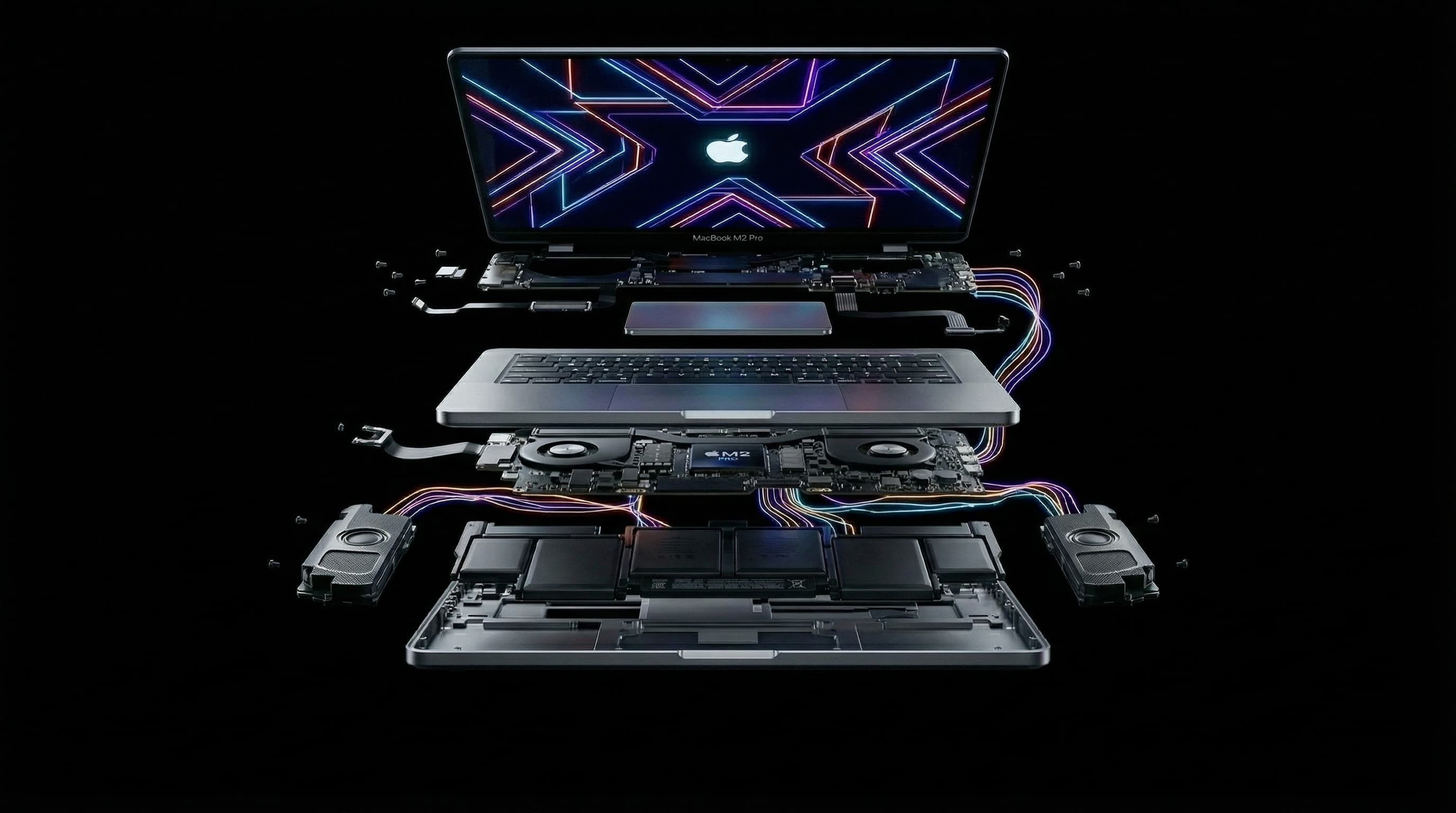
When a MacBook won't turn on, nobody suspects the sound. But on M-series MacBooks, a failed audio IC, the chip that handles the speakers, headphone jack and microphones, is one of the faults we find most often on Macs that are completely unresponsive. No Apple logo, no response to the power button, sometimes not even a sign of charging. Replacing that one chip brings the whole Mac back.
Why Would a Sound Chip Stop the Whole Mac From Starting?
The audio IC doesn't have its own private power supply. It's fed from power lines on the logic board that other important parts also depend on. When the audio chip fails, it often fails as a short circuit, meaning it starts pulling those shared power lines down towards zero. The Mac's startup sequence checks that its power supplies come up correctly. When one of them is being dragged down by the shorted audio chip, the sequence stops, and the Mac stays dead. The chip that failed is about sound, but the effect is on everything.
What Are the Symptoms?
- The MacBook is completely unresponsive: no Apple logo, no keyboard backlight, no response to the power button.
- Charging behaviour may look odd, for example the charger shows little or no current being drawn.
- Sometimes the Mac gets warm in one area while plugged in, because the short is turning power into heat.
- In some cases there were sound problems first, such as crackling, no audio, or missing microphones, before the Mac died.
None of these symptoms point to the audio chip on their own. Plenty of other faults look identical from the outside, which is why the diagnosis has to be done on the board.
How Is an Audio IC Fault Diagnosed?
- 1Measure the main power lines on the board to find which one is shorted.
- 2Trace the short to the component that's causing it, using thermal imaging and, where needed, a small controlled current that makes the faulty chip warm up so it can be seen.
- 3Confirm it's the audio IC and not a capacitor or another chip on the same power line.
- 4Inspect the area under a microscope for liquid residue or corrosion that may have caused it, so the root cause gets fixed too.
How Is It Repaired?
The failed audio IC is removed with hot air and a new chip is soldered in its place under a microscope. If liquid caused the failure, the board is cleaned ultrasonically first, and any other damaged components are replaced at the same time. Then the Mac is powered up and tested fully, including speakers, headphone jack, microphones, charging, display, keyboard and wireless.
Will I Lose My Data?
No. The audio chip has nothing to do with your storage. Replacing it leaves the Apple chip and soldered storage exactly as they were, so the Mac starts up with all your files, apps and settings in place. This is one of the clearest cases where chip-level repair beats a logic board replacement: one small chip versus a new board with empty storage.
Why Does the Audio IC Fail?
- Liquid damage. Even a small spill can reach the board and corrode the chip or its connections.
- Heat and age. Years of heavy use can weaken solder joints and chips.
- Electrical damage from faulty chargers, power surges or damaged accessories.
Can Apple Fix an Audio IC Fault?
Apple's service process doesn't replace individual chips on the board. A dead Mac with an audio IC fault would normally get a full logic board replacement quote, which is far more expensive and erases your data. If you've been given that quote for a dead M-series MacBook, it's worth a chip-level diagnosis first.
How Much Does Audio IC Repair Cost?
On MacBooks with a standard M1–M5 chip, this kind of chip-level repair typically costs ₹6,000–₹16,000. MacBook Pros with Pro or Max chips cost more, for example ₹14,000–₹45,000 on the 14-inch M1 Pro/Max (A2442) and ₹18,000–₹55,000 on the 16-inch (A2485). The free diagnosis tells you whether it's the audio chip or something else, with a written quote before any work begins.
How Long Does It Take?
Diagnosis is usually done the same day. Replacing the audio IC typically takes 1–2 days, including full testing. If liquid caused the failure and the board needs extra cleaning, it can take a little longer. Every repair carries a 90-day warranty.
M-Series MacBook Completely Dead?
Free diagnosis at Mac Repair Center, Kandivali West, or free pickup anywhere in Mumbai. We find the actual failed chip, quote in writing, and keep your data intact.
Free pickup available across all Mumbai areas · Mon–Sat 10am–8pm
10+ years of chip-level Apple repair experience in Mumbai. Specialises in MacBook logic board micro-soldering, data recovery, and complex Apple hardware faults. Every repair backed by a 90-day warranty.
Related Services & Repairs
More from the Blog
USB-C Port Controller Failure: Why Your M-Series MacBook Won't Charge and Then Seems Dead
A failed USB-C port controller is one of the most common reasons an M1–M5 MacBook stops charging and then appears completely dead. What the chip does, the warning signs, what damages it, and how it's repaired without losing data.
Power IC vs Charging IC Failure on M-Series MacBooks: Dead When Plugged In, or Just Won't Charge?
Two different chips cause two of the most common M-series MacBook faults. A failed charging IC stops the battery charging. A failed power IC can leave the Mac dead even on the charger. How to tell which one you're likely dealing with, and how each is repaired.
"Logic Board Replacement Required": What Apple's Quote Means for Your M-Series MacBook
Apple quoted a full logic board replacement for your M1, M2, M3 or M4 MacBook. Here's why Apple quotes the whole board, what usually failed on it, when chip-level repair is the better deal, and when it honestly isn't.
Apple Device Problem?
Get It Fixed Today — Free Diagnosis.
Mumbai's chip-level Apple repair specialists. Same-day repair · 90-day warranty · 100% data privacy. Don't settle for a slow fix or a replacement you don't need.
Open Mon–Sat · 10:00 AM – 8:00 PM · Mumbai