
Power IC vs Charging IC Failure on M-Series MacBooks: Dead When Plugged In, or Just Won't Charge?

By Shrey Sharma, Founder & Lead Technician · October 2026
Two different chips cause two of the most common M-series MacBook faults. A failed charging IC stops the battery charging. A failed power IC can leave the Mac dead even on the charger. How to tell which one you're likely dealing with, and how each is repaired.
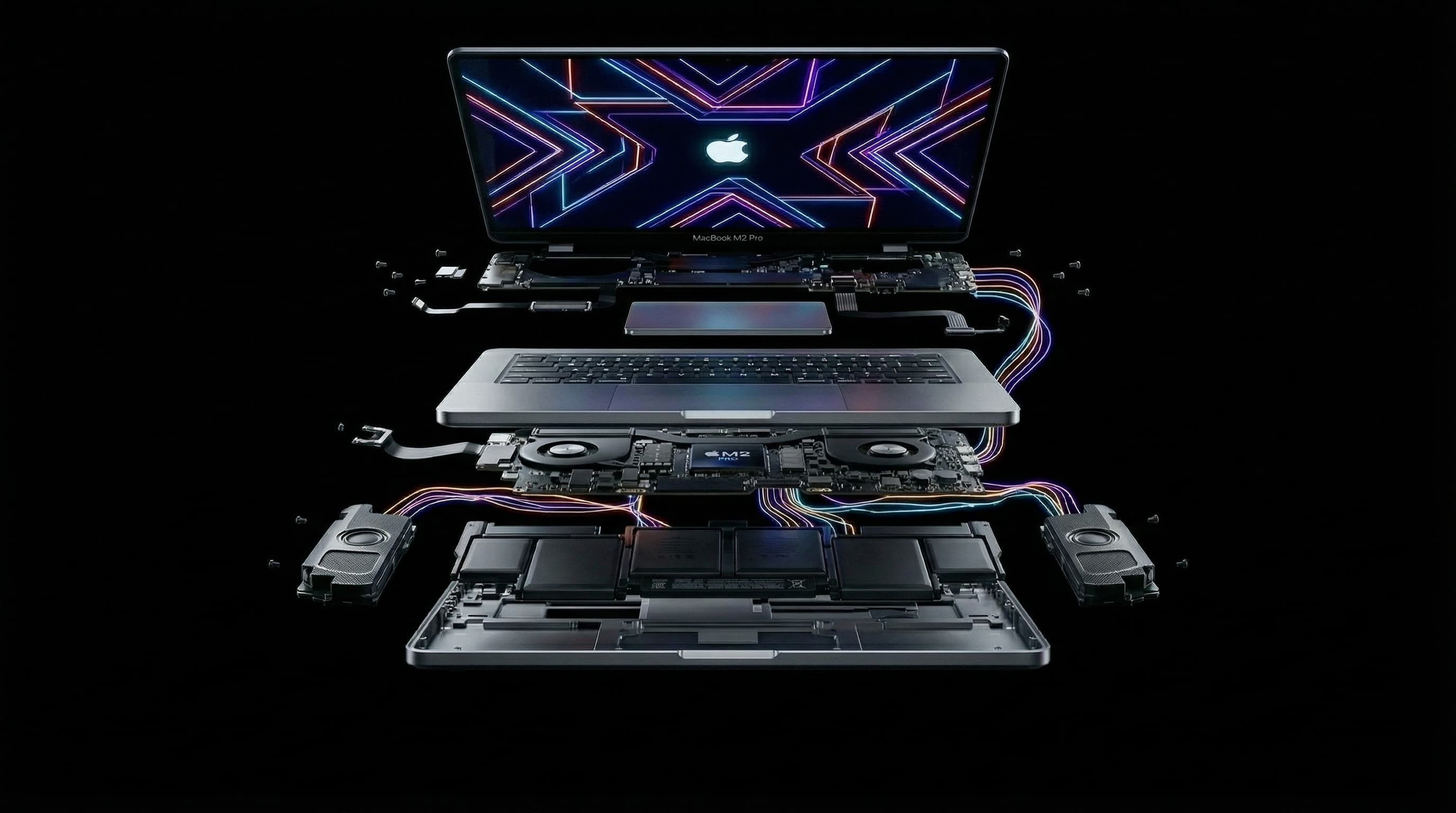
Two chips on an M-series MacBook's logic board handle power, and they fail in different ways. The charging IC looks after the battery: it takes power from the charger and decides how much goes into the battery and how much runs the Mac. The power IC produces the many precise voltages the Apple chip, memory and storage need to run. When either fails, the Mac may not start, but the clues are different. Knowing them helps you describe the problem and understand the diagnosis.
What Does the Charging IC Do?
The charging IC sits between the incoming power and the battery. It decides whether the Mac runs from the charger, the battery or both, and controls how the battery is charged so it isn't overcharged or overheated. When it fails, the battery stops charging properly, even though the charger, cable and port are all fine.
What Does the Power IC Do?
The power IC, sometimes called the power management IC, turns the main supply into the many lower voltages that different parts of the board need, and switches them on in the right order when the Mac starts up. The Apple chip won't start unless those supplies come up correctly. When the power IC fails, the Mac can stay dead even with a full battery and a working charger.
How Can I Tell Which One Has Failed?
| What you see | More likely charging IC | More likely power IC |
|---|---|---|
| Battery percentage stuck or falling while plugged in | Yes | Less likely |
| Mac works while plugged in, dies as soon as you unplug | Possible, or a worn battery | Less likely |
| Mac dead only after the battery ran flat | Yes, it could not recharge | Possible |
| Mac dead even with a full battery and the charger connected | Less likely | Yes |
| Mac starts, then shuts off suddenly or restarts on its own | Possible | Possible |
| Charger shows normal current but nothing happens | Less likely | Yes |
These are tendencies, not rules. A failed USB-C port controller, a shorted audio IC or a worn battery can produce some of the same symptoms. That's why the actual answer comes from measurements on the board, not from symptoms alone.
How Are These Faults Diagnosed?
- 1Check what the Mac draws from the charger and whether it completes the higher-voltage charging handshake.
- 2Measure the main supply into the board and the battery charging path to see where power stops.
- 3Measure the individual voltages the power IC should produce, and check each one for a short.
- 4Use thermal imaging and microscope inspection to find the failed chip and any damage around it, such as liquid corrosion.
How Are They Repaired?
Both are chip-level repairs. The failed charging IC or power IC is removed with hot air and a new one is soldered in under a microscope, along with any small components around it that were damaged at the same time. If liquid or a power surge caused the failure, we look for and fix that damage too, so the new chip doesn't fail for the same reason. Then everything is tested: charging from every port, battery charging and discharging, start-up and shut-down, and normal use under load.
Could It Just Be the Battery?
Sometimes, yes. A worn battery can make a Mac shut down early or drop from 30% to zero, and macOS may show "Service Recommended" in the battery settings. But a worn battery on its own rarely makes an M-series MacBook completely dead while it's plugged in. If the Mac won't start with a known-good charger connected, a board fault is more likely, and replacing the battery wouldn't fix it. We check the battery as part of the free diagnosis, so you don't pay for the wrong part.
Will I Lose My Data?
No. Neither the charging IC nor the power IC stores anything. Replacing either leaves the Apple chip and soldered storage untouched, so your files, apps and settings are still there when the Mac starts up.
How Much Does Power IC or Charging IC Repair Cost?
On MacBooks with a standard M1–M5 chip, this kind of chip-level repair typically costs ₹6,000–₹16,000. MacBook Pros with Pro or Max chips cost more, for example ₹14,000–₹45,000 on the 14-inch M1 Pro/Max (A2442) and ₹18,000–₹55,000 on the 16-inch (A2485). You get a written quote after the free diagnosis, before any work starts.
How Long Does It Take?
Diagnosis is usually done the same day. Most single-chip repairs take 1–2 days, including full testing. If liquid damage caused the failure, it can take a little longer. Every repair carries a 90-day warranty.
MacBook Won't Charge or Won't Start?
Free diagnosis at Mac Repair Center, Kandivali West, or free pickup anywhere in Mumbai. We measure, find the failed chip, and quote in writing before any repair.
Free pickup available across all Mumbai areas · Mon–Sat 10am–8pm
10+ years of chip-level Apple repair experience in Mumbai. Specialises in MacBook logic board micro-soldering, data recovery, and complex Apple hardware faults. Every repair backed by a 90-day warranty.
Related Services & Repairs
Related service:
MacBook Logic Board Repair Mumbai — View Full Service Details →More from the Blog
USB-C Port Controller Failure: Why Your M-Series MacBook Won't Charge and Then Seems Dead
A failed USB-C port controller is one of the most common reasons an M1–M5 MacBook stops charging and then appears completely dead. What the chip does, the warning signs, what damages it, and how it's repaired without losing data.
Audio IC Failure: How a Sound Chip Can Make Your M-Series MacBook Completely Dead
It sounds unlikely, but a failed audio chip is one of the faults we see most often on completely unresponsive M1–M5 MacBooks. Why a sound chip can stop the entire Mac from starting, how it's diagnosed, and how it's repaired with your data intact.
MacBook Stuck on a Black Screen or Exclamation Mark (M1–M4): DFU Revive or Board Fault?
An Apple Silicon MacBook showing a circled exclamation mark, or nothing but a black screen, isn't always a hardware failure. How to tell a firmware problem you can fix with a DFU Revive from a display or logic board fault, without risking your data.
Apple Device Problem?
Get It Fixed Today — Free Diagnosis.
Mumbai's chip-level Apple repair specialists. Same-day repair · 90-day warranty · 100% data privacy. Don't settle for a slow fix or a replacement you don't need.
Open Mon–Sat · 10:00 AM – 8:00 PM · Mumbai