
USB-C Port Controller Failure: Why Your M-Series MacBook Won't Charge and Then Seems Dead

By Shrey Sharma, Founder & Lead Technician · October 2026
A failed USB-C port controller is one of the most common reasons an M1–M5 MacBook stops charging and then appears completely dead. What the chip does, the warning signs, what damages it, and how it's repaired without losing data.
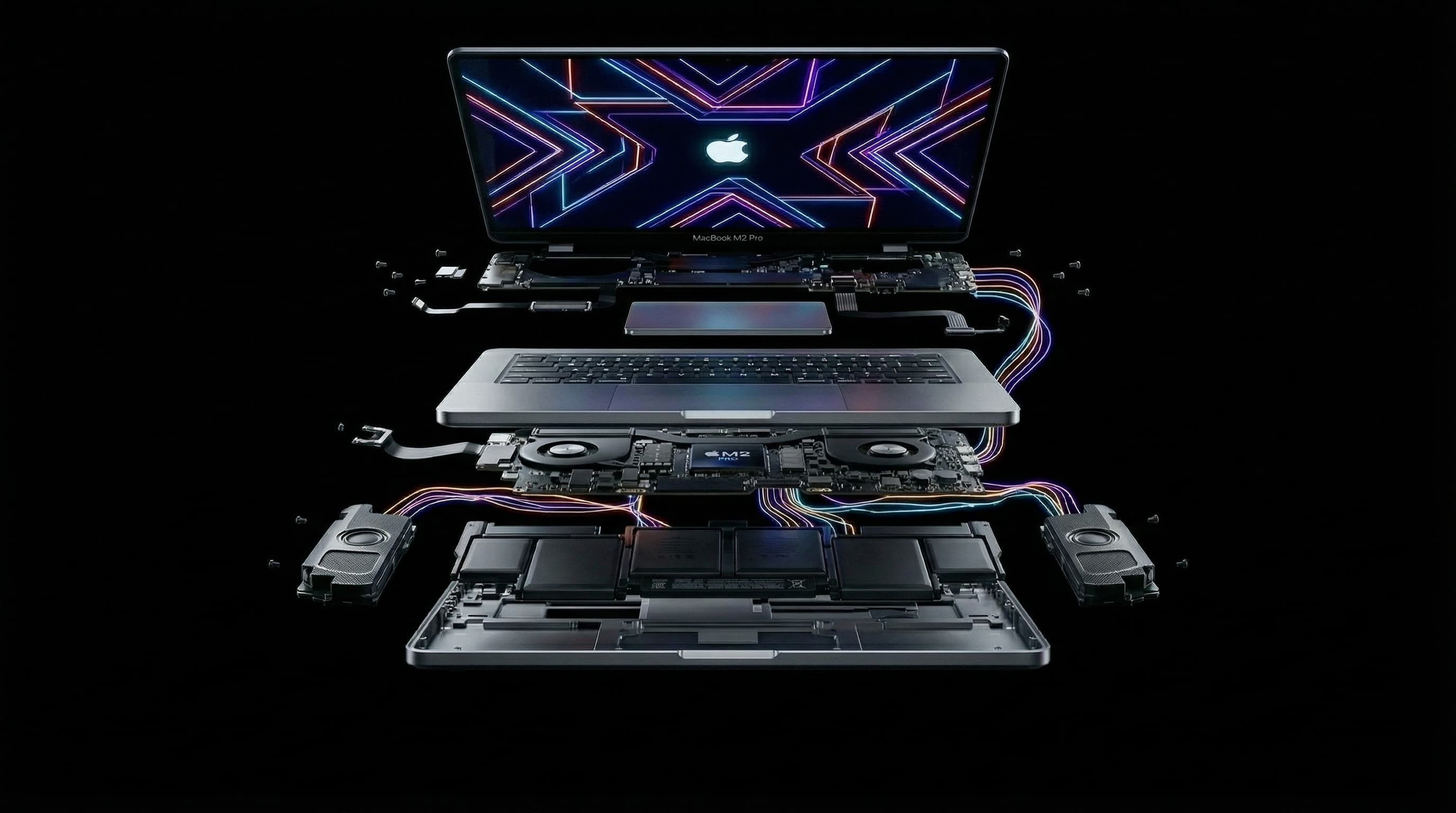
At our workshop, one of the most common reasons an M-series MacBook arrives "completely dead" is a single chip near the USB-C ports: the USB-C port controller. When it fails, the Mac can no longer accept power from the charger. It keeps running on battery for a while, then the battery runs flat and the Mac never comes back. To the owner it looks like the whole MacBook has died. In reality, one chip has.
What Does the USB-C Port Controller Do?
Every time you plug in a USB-C charger, the MacBook and the charger agree on how much power to send. The charger starts at a safe 5 volts and only steps up to a higher charging voltage once the Mac asks for it. The USB-C port controller is the chip that has that conversation and then lets the power through to the rest of the board. It also tells the Mac what's plugged into each port, whether that's a charger, a display, a drive or a hub. If it fails, the conversation never happens, and the Mac stays on 5 volts with almost no power coming in.
What Are the Warning Signs?
- The Mac charges on one USB-C port but not the other.
- Charging cuts in and out, or only works with the cable held at an angle, even with a new cable.
- The battery percentage falls while plugged in, or the battery menu shows the Mac isn't charging.
- Accessories on one port stop being detected, such as a display, drive or hub.
- Eventually, the Mac won't turn on at all, even after hours on the charger.
Put an inexpensive USB-C power meter between the charger and the Mac. A healthy Mac moves to a higher voltage, such as 15V or 20V, within seconds. If the meter stays at 5V with almost no current, the Mac isn't completing the power handshake. That points to the port controller or the charging circuit, not the battery.
What Damages the USB-C Port Controller?
- Cheap or faulty chargers, cables and hubs that send the wrong voltage or have poor protection.
- Power surges and unstable supply, especially charging from generators, inverters or outlets without proper earthing.
- Liquid that reaches the port area, even a small spill near the side of the keyboard.
- Plugging in a cable or accessory that's damaged or bent inside the connector.
Is It the Port, the Controller or the Battery?
| What you see | Most likely | Next step |
|---|---|---|
| Works fine on the other USB-C port | That port's controller or the port itself | Board-level diagnosis before the other port fails too |
| No charging on any port, meter stuck at 5V | USB-C port controller or charging circuit | Board-level diagnosis |
| Charges with MagSafe but not USB-C (MagSafe models) | USB-C port controller | Board-level diagnosis |
| Charges, but the battery drains fast or shuts down at 20–30% | Worn battery | Battery check and replacement |
| Loose or crackly connection with every cable | Damaged or dirty port | Port cleaning or port repair |
How Is a Failed USB-C Port Controller Repaired?
This is chip-level work. We confirm the fault by measuring the power handshake and the controller's supply voltages, then inspect the area under a microscope for burnt or corroded parts. The failed controller is removed with hot air and a new one is fitted and soldered in place. Any damaged components around it, often small protection parts that took the same surge, are replaced too. Afterwards we test charging and data on every port.
Will I Lose My Data?
No. The port controller has nothing to do with your storage. Replacing it leaves the Apple chip and the soldered storage untouched, so when the Mac powers up again your files, apps and settings are exactly as you left them. That's the big difference from a logic board replacement, which comes with empty storage.
How Much Does USB-C Port Controller Repair Cost?
On MacBooks with a standard M1–M5 chip, this kind of chip-level repair typically costs ₹6,000–₹16,000. MacBook Pros with Pro or Max chips cost more, for example ₹14,000–₹45,000 on the 14-inch M1 Pro/Max (A2442) and ₹18,000–₹55,000 on the 16-inch (A2485). You get the exact figure after a free diagnosis, before any work starts.
How Can I Protect My MacBook's USB-C Ports?
- Use Apple's charger, or a reputable brand rated for your MacBook's wattage.
- Avoid unbranded hubs and docks, especially ones that pass power through to the Mac.
- Use a surge protector or a good UPS if your power supply is unstable.
- Never plug in a charger if the MacBook or the cable might be wet.
How Long Does the Repair Take?
Diagnosis is usually done the same day. A port controller replacement typically takes 1–2 days, including testing every port. Every repair carries a 90-day warranty.
MacBook Stopped Charging or Went Dead?
Free diagnosis at Mac Repair Center, Kandivali West, with free pickup anywhere in Mumbai. We find the failed chip, quote in writing, and keep your data intact.
Free pickup available across all Mumbai areas · Mon–Sat 10am–8pm
10+ years of chip-level Apple repair experience in Mumbai. Specialises in MacBook logic board micro-soldering, data recovery, and complex Apple hardware faults. Every repair backed by a 90-day warranty.
Related Services & Repairs
Related service:
MacBook Not Charging Repair Mumbai — View Full Service Details →More from the Blog
Power IC vs Charging IC Failure on M-Series MacBooks: Dead When Plugged In, or Just Won't Charge?
Two different chips cause two of the most common M-series MacBook faults. A failed charging IC stops the battery charging. A failed power IC can leave the Mac dead even on the charger. How to tell which one you're likely dealing with, and how each is repaired.
Audio IC Failure: How a Sound Chip Can Make Your M-Series MacBook Completely Dead
It sounds unlikely, but a failed audio chip is one of the faults we see most often on completely unresponsive M1–M5 MacBooks. Why a sound chip can stop the entire Mac from starting, how it's diagnosed, and how it's repaired with your data intact.
"Logic Board Replacement Required": What Apple's Quote Means for Your M-Series MacBook
Apple quoted a full logic board replacement for your M1, M2, M3 or M4 MacBook. Here's why Apple quotes the whole board, what usually failed on it, when chip-level repair is the better deal, and when it honestly isn't.
Apple Device Problem?
Get It Fixed Today — Free Diagnosis.
Mumbai's chip-level Apple repair specialists. Same-day repair · 90-day warranty · 100% data privacy. Don't settle for a slow fix or a replacement you don't need.
Open Mon–Sat · 10:00 AM – 8:00 PM · Mumbai