
MacBook Pro M1 Pro or M1 Max Won't Turn On? A Guide for the 14-inch and 16-inch

By Shrey Sharma, Founder & Lead Technician · October 2026
The 2021 MacBook Pro 14-inch (A2442) and 16-inch (A2485) are now old enough to start failing, and a dead one often has a simple cause. What to check yourself, what the MagSafe 3 light tells you, and the board faults behind most no-power M1 Pro and M1 Max machines.
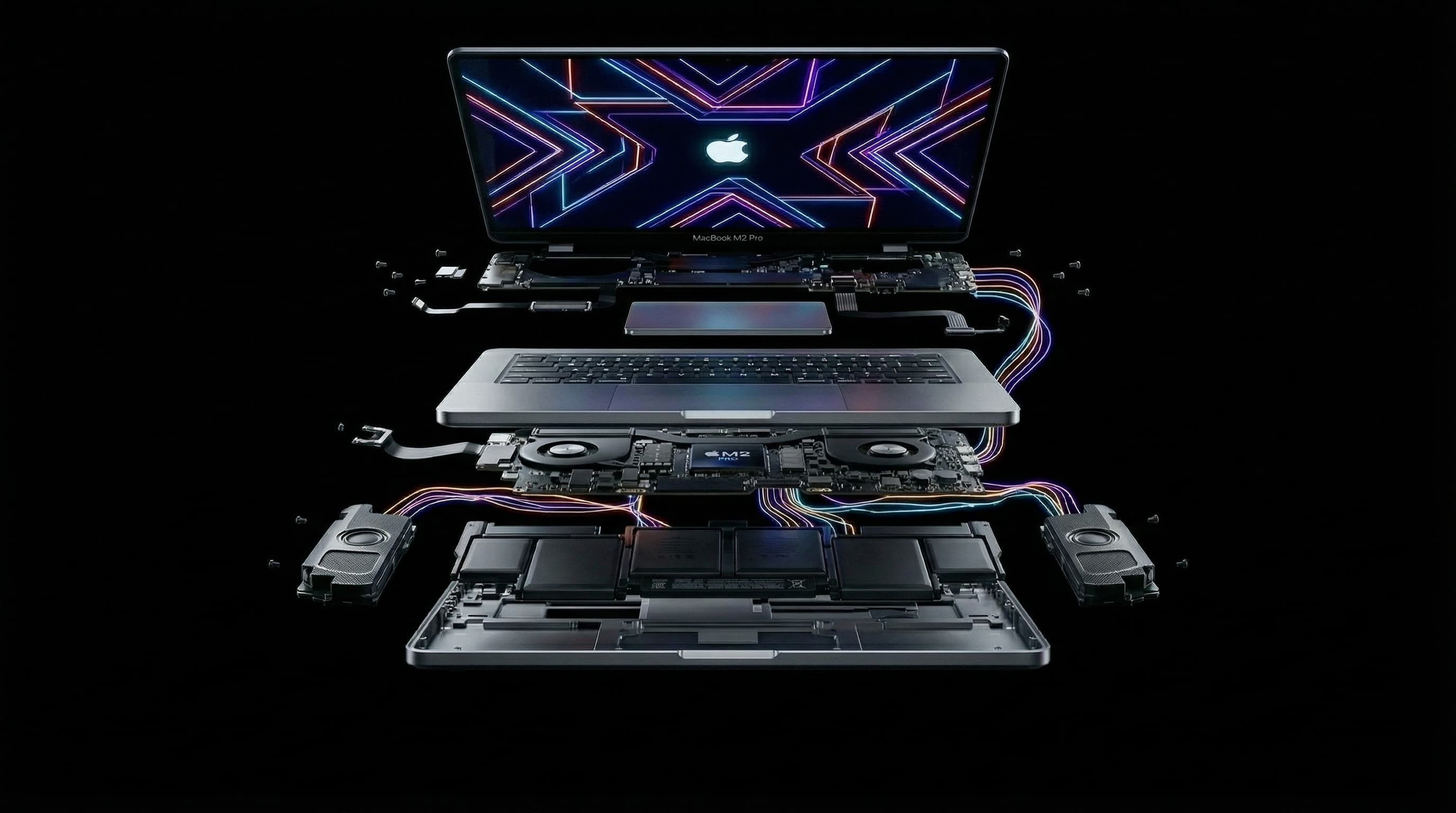
The late-2021 MacBook Pro brought back MagSafe, HDMI and the SD card slot, and many Mumbai video editors, developers and designers still use them every day. Now that these machines are four or more years old, we see more of them arrive completely dead. A dead M1 Pro or M1 Max is rarely beyond repair. Here's how to narrow down the cause and what to do next.
Which Model Do I Have?
Turn the MacBook over. The model number is printed in small text near the hinge. A2442 is the 14-inch and A2485 is the 16-inch, each available with M1 Pro or M1 Max. The later M2 Pro and M2 Max versions look identical but carry different model numbers (A2779 and A2780). Most of the checks below apply to them too.
What Should I Check Before Booking a Repair?
- 1Charge with MagSafe 3 and watch the light. Amber means it's charging and green means it's charged. No light at all, with a known-good cable and adapter, suggests the Mac isn't accepting power.
- 2Try charging through a USB-C port instead. These models charge from MagSafe and any Thunderbolt port, so one path can fail while the other still works.
- 3Leave it charging for 30 minutes without touching it. A fully flat battery can delay any response.
- 4Hold the power (Touch ID) button for 10 seconds, release it, then press it again.
- 5Connect an external monitor through HDMI. If you see the desktop there, the problem is the built-in display or its power, not a dead board.
What Does the MagSafe 3 Light Tell Me?
| MagSafe 3 light | Likely meaning | What to do |
|---|---|---|
| Amber, then green over time, but no startup | Power is getting in; the fault is further along the board or in the display | Try an external display, then get a board diagnosis |
| Amber stays amber for hours, no startup | Battery not charging properly, or a fault on the board | Diagnosis. Don't leave it unattended on charge |
| No light with a known-good cable and adapter | Charging circuitry on the MagSafe path, or a short on the board | Try USB-C charging, then get a board diagnosis |
| Flickers or cuts in and out | Dirty or damaged MagSafe port or cable | Clean the port gently, try another cable |
Common Reasons an M1 Pro or M1 Max MacBook Pro Won't Turn On
Liquid damage. A spill over the keyboard can run down to the board below, and corrosion keeps spreading for days or weeks after it. These machines often die a while after a spill that seemed harmless at the time.
USB-C port controller or charging IC failure. Damage from faulty chargers, cables or power surges can kill the chips that negotiate and pass power into the board. This often matches the "no light, no response" pattern.
Audio IC or power IC failure. A shorted audio chip can make the whole MacBook unresponsive, and a failed power IC cuts one of the supplies the Apple chip needs. Both are common on boards that have seen heat and heavy use over the years.
Display or backlight faults. The mini-LED display has its own power and backlight circuitry. When that fails, the Mac may be running normally behind a black screen, which an external monitor test quickly reveals.
Apple chip failure. This is rare. If the M1 Pro or M1 Max chip itself has failed, component-level repair isn't realistic, and we'll explain the options, including what it means for your data, before anything else happens.
How Is a Dead A2442 or A2485 Diagnosed?
We measure rather than guess. We check what the Mac draws from the charger and whether it negotiates higher charging power, check the main power rails for shorts, and check whether the Apple chip responds, for example by seeing whether the Mac can enter DFU mode. We then find the failed part using thermal imaging and microscope inspection. You get a written explanation and a fixed quote before any repair starts.
Will I Lose My Data?
Not with a component-level repair. The M1 Pro or M1 Max chip and its soldered storage stay untouched, so your files, apps and settings are there when the Mac starts up again. The data is lost if the board is replaced, because the storage is encrypted by the original chip and can't be moved. If you need the data, tell your repairer before approving any board replacement.
Is an M1 Pro or M1 Max MacBook Pro Worth Repairing?
Usually, yes. These are still powerful machines for video editing, development and design work, and a board-level repair typically costs ₹14,000–₹45,000 on the 14-inch (A2442) and ₹18,000–₹55,000 on the 16-inch (A2485), depending on the fault. That's far less than a new MacBook Pro with similar performance. A full board replacement quote is a different calculation, which is why it's worth getting a chip-level diagnosis before accepting one.
How Long Does the Repair Take?
Diagnosis is usually done the same day. Most single-fault repairs take 1–2 days. Liquid-damaged boards take longer because they're cleaned fully and tested before going back in the case. Every repair carries a 90-day warranty.
M1 Pro or M1 Max MacBook Pro Won't Start?
Free diagnosis at Mac Repair Center, Kandivali West, with free pickup anywhere in Mumbai. Chip-level repair, data kept intact, 90-day warranty.
Free pickup available across all Mumbai areas · Mon–Sat 10am–8pm
10+ years of chip-level Apple repair experience in Mumbai. Specialises in MacBook logic board micro-soldering, data recovery, and complex Apple hardware faults. Every repair backed by a 90-day warranty.
Related Services & Repairs
More from the Blog
MacBook Pro 16-inch M1 Pro/Max (A2485) Repair Mumbai: Logic Board, Display & Cost Guide (2026)
The 16-inch MacBook Pro with M1 Pro or M1 Max (model A2485) is the most expensive machine most Mumbai professionals own — and the one where a wrong quote costs the most. Here's what actually fails on the A2485, what chip-level logic board repair recovers, real 2026 Mumbai costs for the Liquid Retina XDR display, the 100Wh battery and the 140W MagSafe 3 port, and when repair stops making sense.
MacBook Pro 14-inch Logic Board Repair Mumbai: A2442 (M1 Pro) & A2779 (M2 Pro) Water Damage, Data Recovery and Why Repair Beats Replacement (2026)
Your MacBook Pro 14-inch won't power on, won't charge, or took a spill — and someone has told you the logic board needs replacing. Before you accept a ₹90,000+ board swap quote, here's what actually fails on the A2442 (M1 Pro) and A2779 (M2 Pro) boards, how chip-level repair recovers both the machine and your data, and real 2026 costs for Borivali and Kandivali.
Audio IC Failure: How a Sound Chip Can Make Your M-Series MacBook Completely Dead
It sounds unlikely, but a failed audio chip is one of the faults we see most often on completely unresponsive M1–M5 MacBooks. Why a sound chip can stop the entire Mac from starting, how it's diagnosed, and how it's repaired with your data intact.
Apple Device Problem?
Get It Fixed Today — Free Diagnosis.
Mumbai's chip-level Apple repair specialists. Same-day repair · 90-day warranty · 100% data privacy. Don't settle for a slow fix or a replacement you don't need.
Open Mon–Sat · 10:00 AM – 8:00 PM · Mumbai