
MacBook Air M1 Dead, No Power? The Logic Board Faults Behind It and How Each Gets Fixed

By Shrey Sharma, Founder & Lead Technician · October 2026
A MacBook Air M1 that shows no sign of life is usually one failed component away from working again. How to rule out the free fixes, tell a battery problem from a board fault, and what the common board-level causes are.
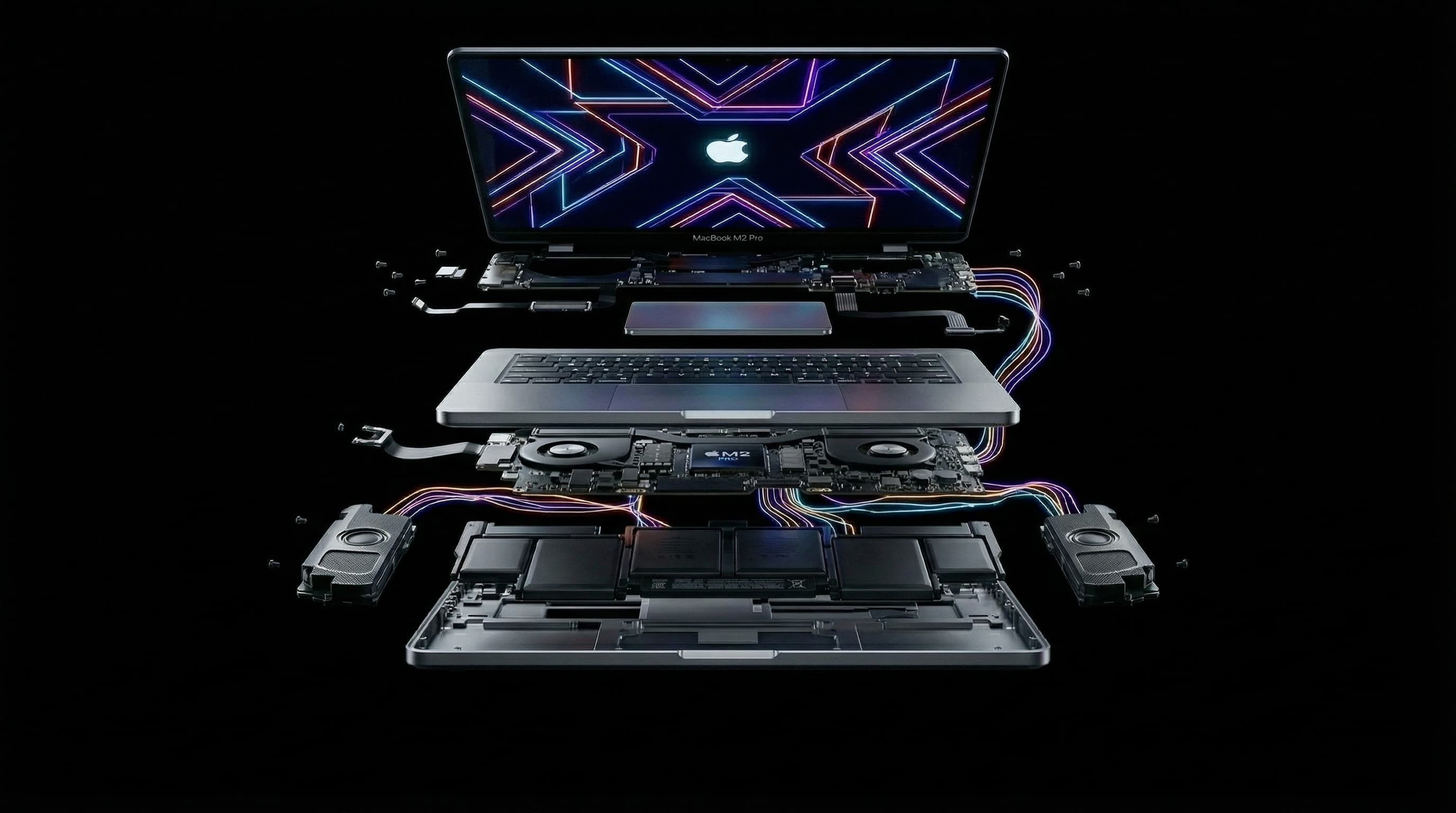
The MacBook Air M1 (model A2337) is one of the most common Macs in Mumbai, and by now many are four or five years old. When one stops responding completely, with no Apple logo, no keyboard backlight and no response to the charger, it feels final. It rarely is. Most no-power M1 Airs have one failed chip on the logic board, and the data on them is usually still intact.
First, Rule Out the Free Fixes
- 1Charge for 30 minutes with a charger you know works (30W or more) and Apple's USB-C cable. A completely flat battery can stop the Mac from responding at first.
- 2Try the other USB-C port. The two ports use separate charging paths, so one can fail on its own.
- 3Hold the power button (Touch ID) for 10 seconds, release it, then press it again.
- 4Connect an external display. If the Mac starts up on the monitor, the problem is the screen or its power supply, not a dead board.
If none of these work, stop there. Repeatedly forcing a power cycle won't fix a board fault, and if liquid was involved, it can make things worse.
How Can I Tell a Battery Problem From a Board Fault?
A cheap USB-C power meter between the charger and the Mac gives a useful clue. A healthy Mac negotiates a higher charging voltage within seconds. If the meter stays at 5V and shows almost no current, the board isn't completing the charging handshake. That usually points to a fault on the board, not a worn-out battery. If the Mac draws normal charging current but still won't start, the fault is somewhere else on the board. A worn battery on its own almost never makes an M1 Air completely dead while it's plugged in.
| What you see | Most likely cause | Next step |
|---|---|---|
| Nothing at all, meter stuck at 5V and near 0A | USB-C port controller or charging IC | Board-level diagnosis |
| Draws current, gets warm in one spot, won't start | Shorted chip, often the audio IC or a power IC | Board-level diagnosis. Don't leave it charging |
| Starts on an external monitor, laptop screen black | Display, backlight or display connector | Screen or backlight repair, not a board swap |
| Died soon after a spill, even a small one | Liquid corrosion on the board | Stop charging it and bring it in quickly |
| Works only while plugged in | Battery or battery connection | Battery check and replacement |
The Board Faults Behind Most Dead M1 Airs
Failed USB-C port controller. This is one of the most common causes. The chip that manages the USB-C ports fails, so the Mac can't negotiate power from the charger. The battery runs flat and the Mac appears completely dead.
Failed charging IC. The charging chip controls power going into the battery. When it fails, often after a faulty charger, cable or power surge, the Mac stops charging, which matches the "stuck at 5V" pattern above.
Power IC fault. The Apple chip runs on several precisely regulated supplies. If one of the power ICs that produce them fails, the Mac stays dead even though the charger and battery are fine. Liquid corrosion is a common trigger for this and the faults above, so a spill is always worth mentioning.
Audio IC failure. This surprises most owners: a shorted audio chip can make an M1 Air completely unresponsive, with no sign it has anything to do with sound. Replacing the audio IC brings the Mac back.
SSD (NAND storage) or Apple chip faults. Storage chip problems can be repaired by replacing the storage chips, though any data on failed chips is lost. A failed M1 chip itself is rare, and isn't realistic to repair at component level. We'll tell you which it is, and what it means for your data, before anything else happens.
How Is a No-Power M1 Air Diagnosed?
Diagnosis is measurement, not guesswork. We read the current the Mac draws from the charger, check the main power rails for shorts, and check whether the M1 chip responds at all. A Mac that can enter DFU mode and be seen by another Mac in Apple Configurator has a working chip. We then find the failing part with thermal imaging and microscope inspection. That way we fix the actual fault instead of replacing parts until something works.
Can a Dead M1 Air Be Repaired Without Losing Data?
In most cases, yes. A component-level repair leaves the M1 chip and storage untouched, so when the Mac starts up again, your files, apps and settings are exactly as they were. This matters because the M1 Air's storage is soldered and encrypted by the M1 chip. A logic board replacement would mean starting from an empty drive.
Is It Worth Repairing an M1 MacBook Air in 2026?
For most owners, yes. The M1 Air is still fast enough for office work, study, browsing and light creative work, and a board-level repair typically costs ₹6,000–₹16,000 depending on the fault. That's a fraction of a new MacBook, and you keep your data. The exception is a board with a failed M1 chip or storage, where the only fix is a full board replacement. Then it's worth comparing that quote against a newer machine.
How Long Does an M1 Air Board Repair Take?
Diagnosis is usually done the same day. Most single-component repairs take 1–2 days. Liquid damage with corrosion in several areas can take longer, because the board is cleaned fully and tested before it goes back into the case. Every repair carries a 90-day warranty.
MacBook Air M1 Completely Dead?
Free diagnosis at Mac Repair Center, Kandivali West, with free pickup anywhere in Mumbai. We find the failed component, quote you in writing, and keep your data intact.
Free pickup available across all Mumbai areas · Mon–Sat 10am–8pm
10+ years of chip-level Apple repair experience in Mumbai. Specialises in MacBook logic board micro-soldering, data recovery, and complex Apple hardware faults. Every repair backed by a 90-day warranty.
Related Services & Repairs
Related service:
MacBook M1 Repair Mumbai — View Full Service Details →More from the Blog
Audio IC Failure: How a Sound Chip Can Make Your M-Series MacBook Completely Dead
It sounds unlikely, but a failed audio chip is one of the faults we see most often on completely unresponsive M1–M5 MacBooks. Why a sound chip can stop the entire Mac from starting, how it's diagnosed, and how it's repaired with your data intact.
Power IC vs Charging IC Failure on M-Series MacBooks: Dead When Plugged In, or Just Won't Charge?
Two different chips cause two of the most common M-series MacBook faults. A failed charging IC stops the battery charging. A failed power IC can leave the Mac dead even on the charger. How to tell which one you're likely dealing with, and how each is repaired.
USB-C Port Controller Failure: Why Your M-Series MacBook Won't Charge and Then Seems Dead
A failed USB-C port controller is one of the most common reasons an M1–M5 MacBook stops charging and then appears completely dead. What the chip does, the warning signs, what damages it, and how it's repaired without losing data.
Apple Device Problem?
Get It Fixed Today — Free Diagnosis.
Mumbai's chip-level Apple repair specialists. Same-day repair · 90-day warranty · 100% data privacy. Don't settle for a slow fix or a replacement you don't need.
Open Mon–Sat · 10:00 AM – 8:00 PM · Mumbai